Lab

Tools I design and build with AI.

Mostly Figma plugins — real, shipped tools that started as friction in my own workflow, then got designed and built end-to-end with AI in the loop. Tap any project to look closer.

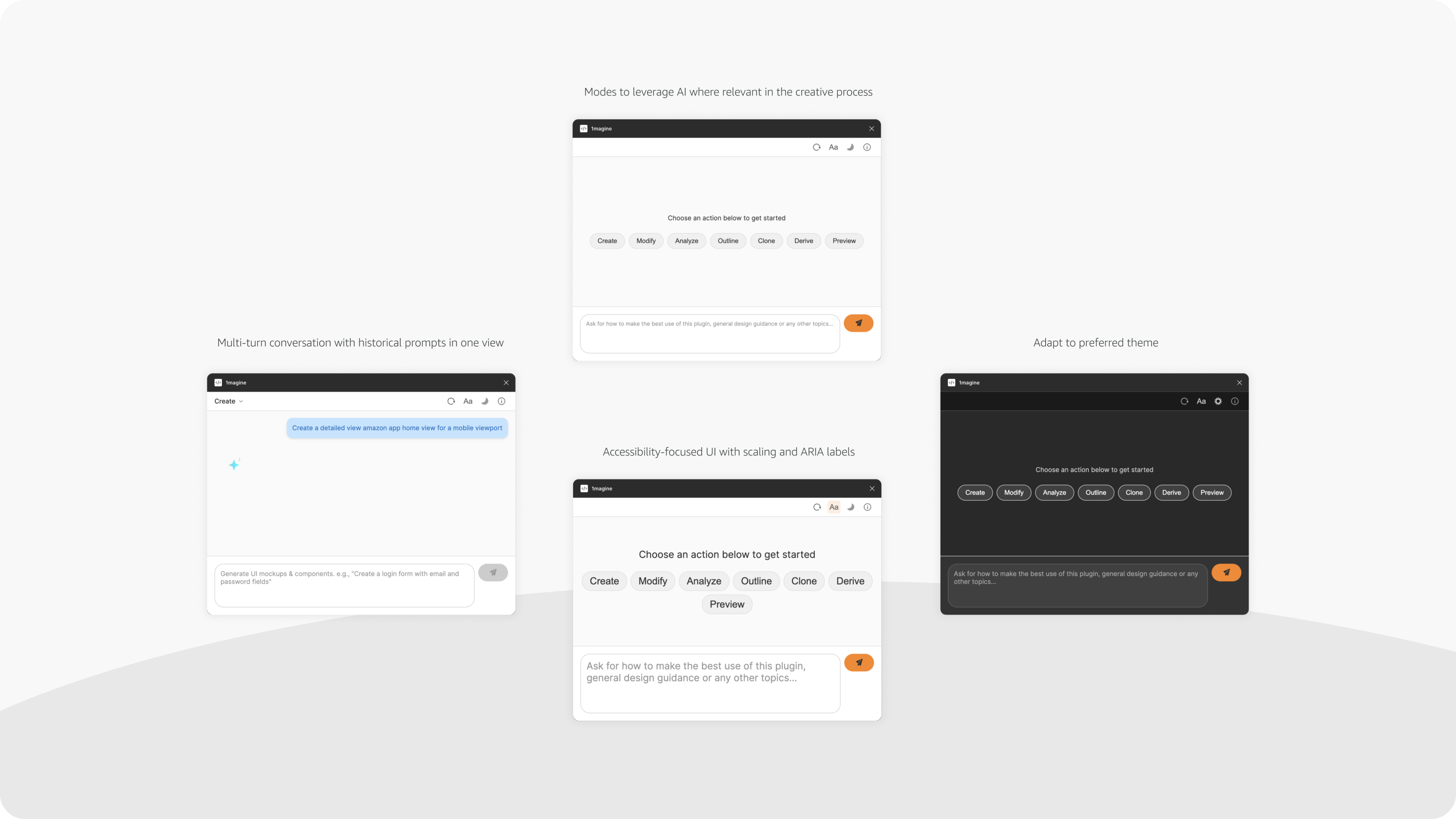
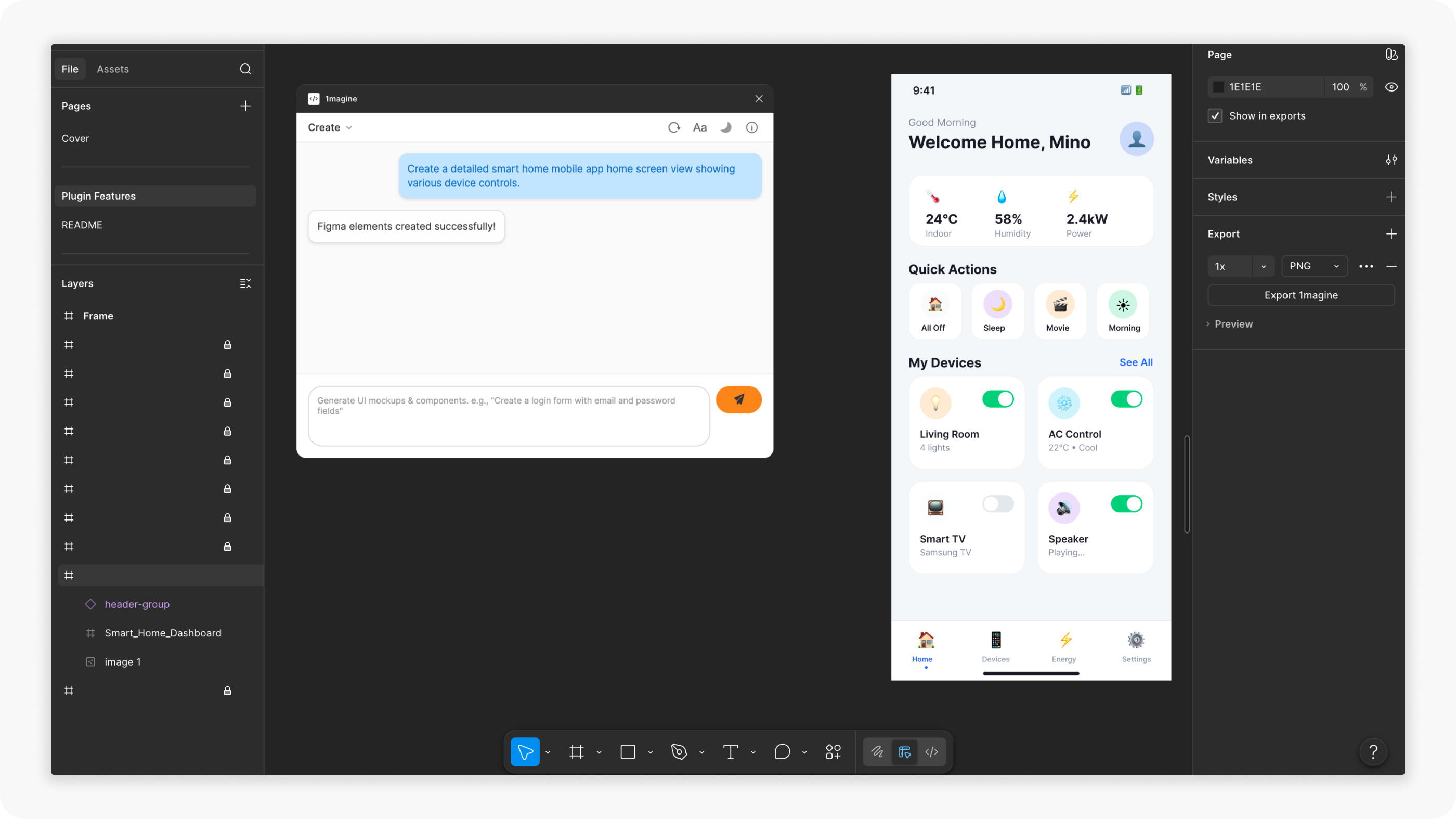
Built on Amazon Bedrock LLMs, 1magine turns natural language into real, editable Figma elements — with multi-turn prompt history, light/dark themes, and an accessible, scalable UI.

Seven focused modes

Create
Mockups, flowcharts, and components from text prompts.
Modify
Update selected elements with natural language.
Analyze
AI insights and analysis of selected components.
Clone
Turn mockup images into editable Figma components.
Outline
Skeleton wireframes from existing designs.
Derive
Components from design-system specs in a knowledge base.
Preview
Export frames to HTML/CSS/React and preview in-browser.
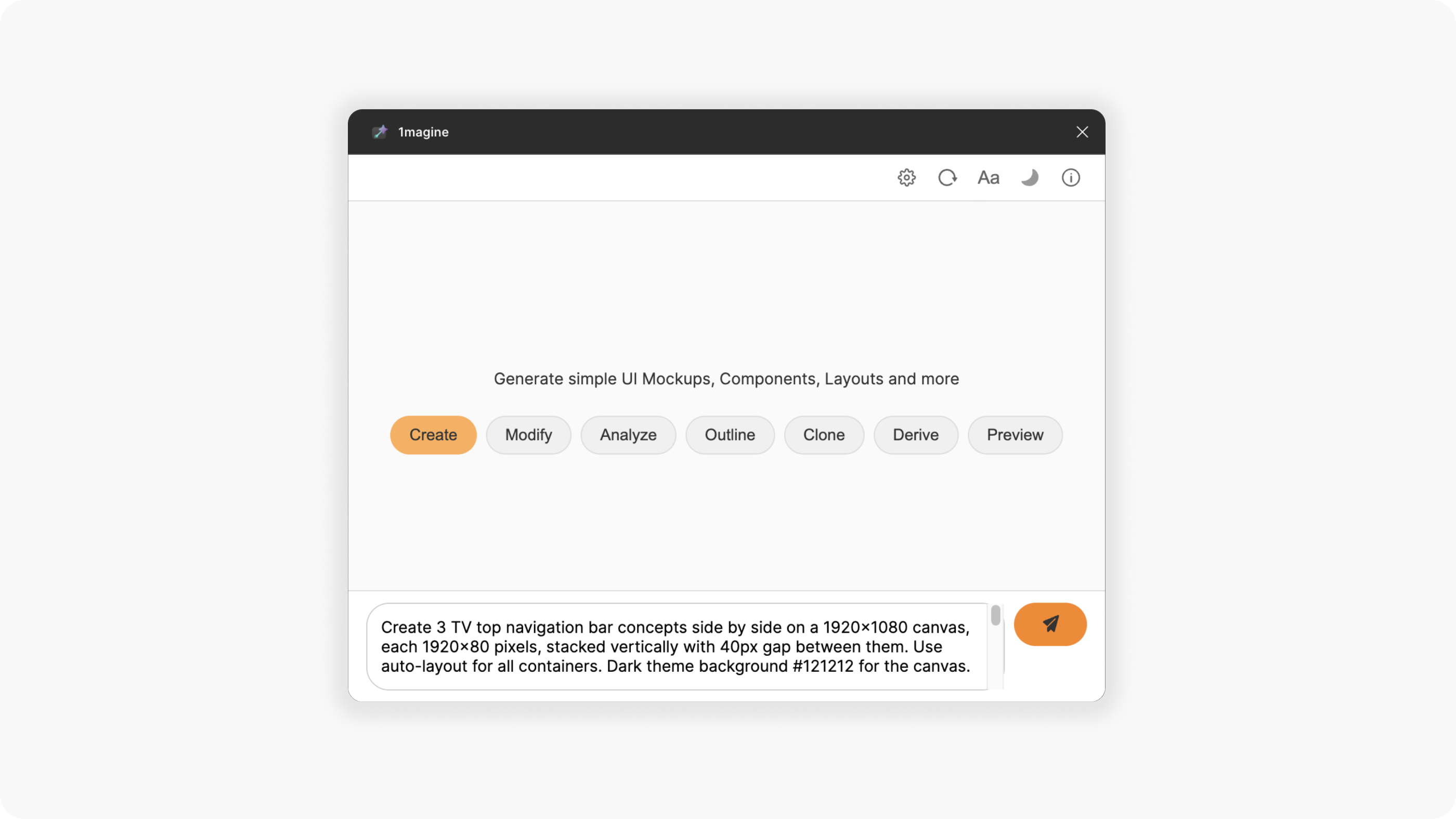
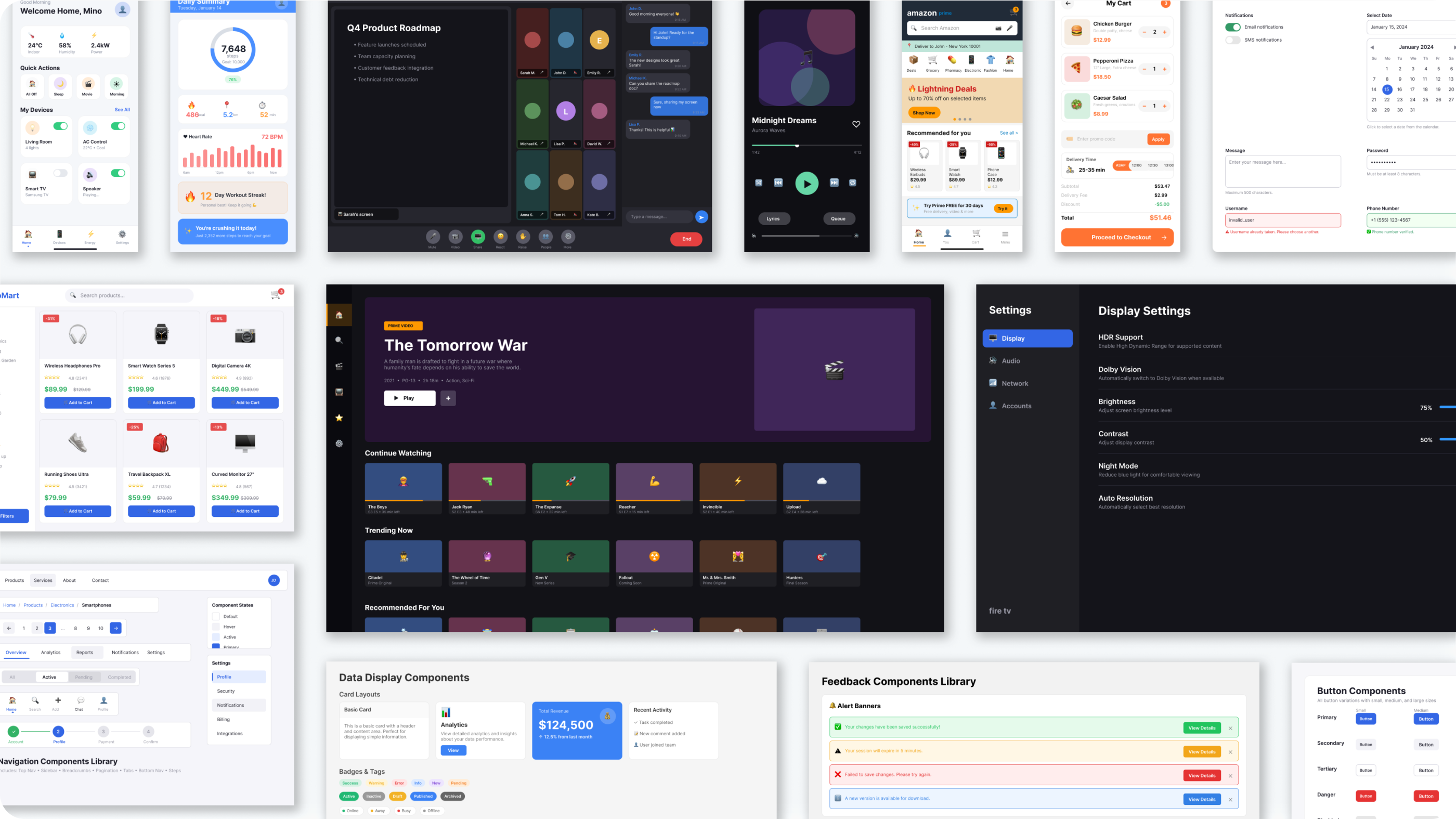
1magine plugin — main interface with AI modes and prompt inputFeature overview — AI modes, multi-turn history, theming, and an accessible UI1magine generating a smart-home dashboard as editable Figma elementsA gallery of UI mockups and components generated with 1magine

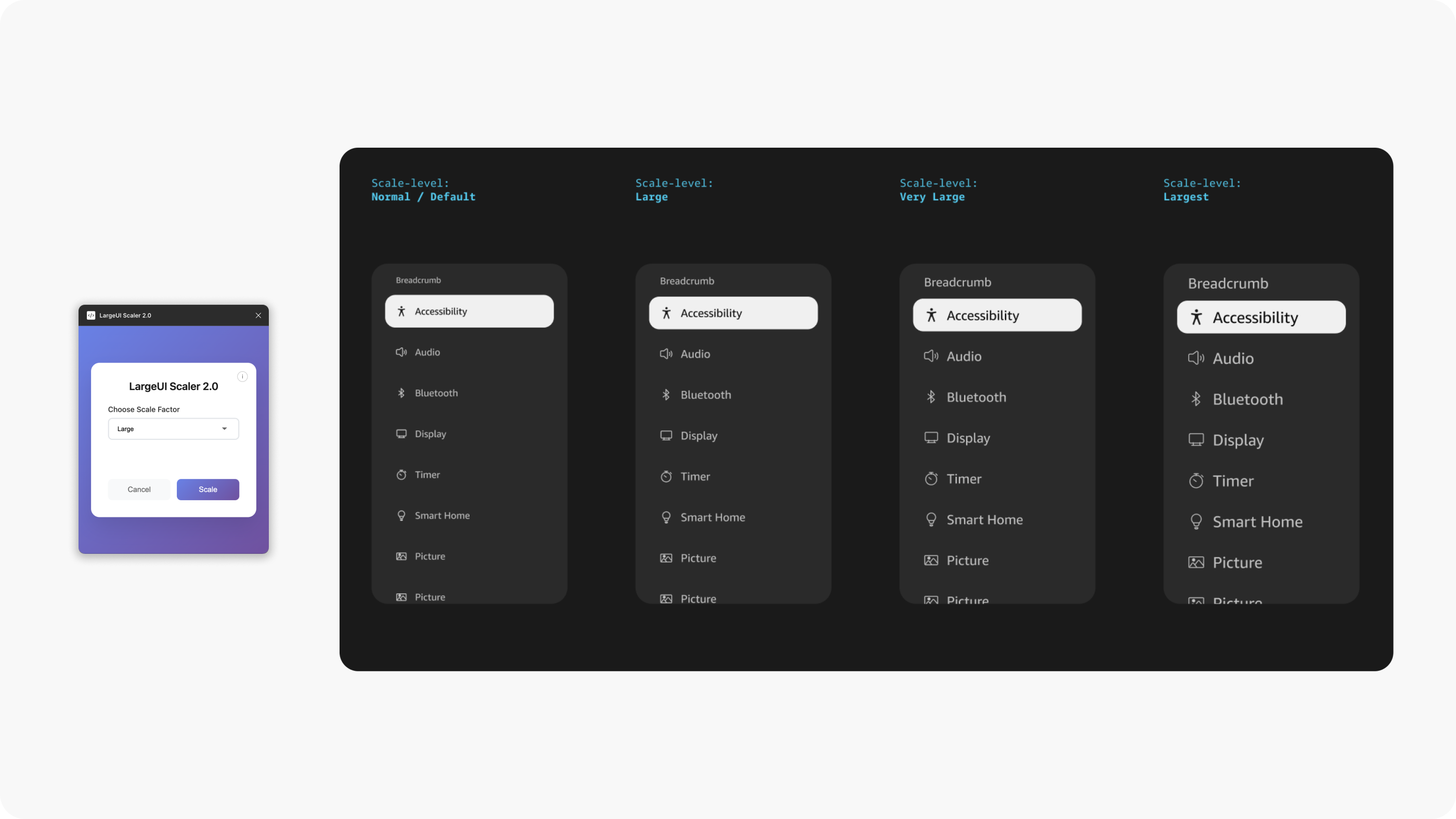
Built to remove a repetitive, manual step in design-to-development hand-off — scaling every component by hand for each spec. It cut roughly 2 hours of effort per component, and has been adopted by 4 other Amazon device teams internally, with 60+ active users.

Adaptive UI Scaler — one component shown at four scale levels: Normal/Default, Large, Very Large, and Largest

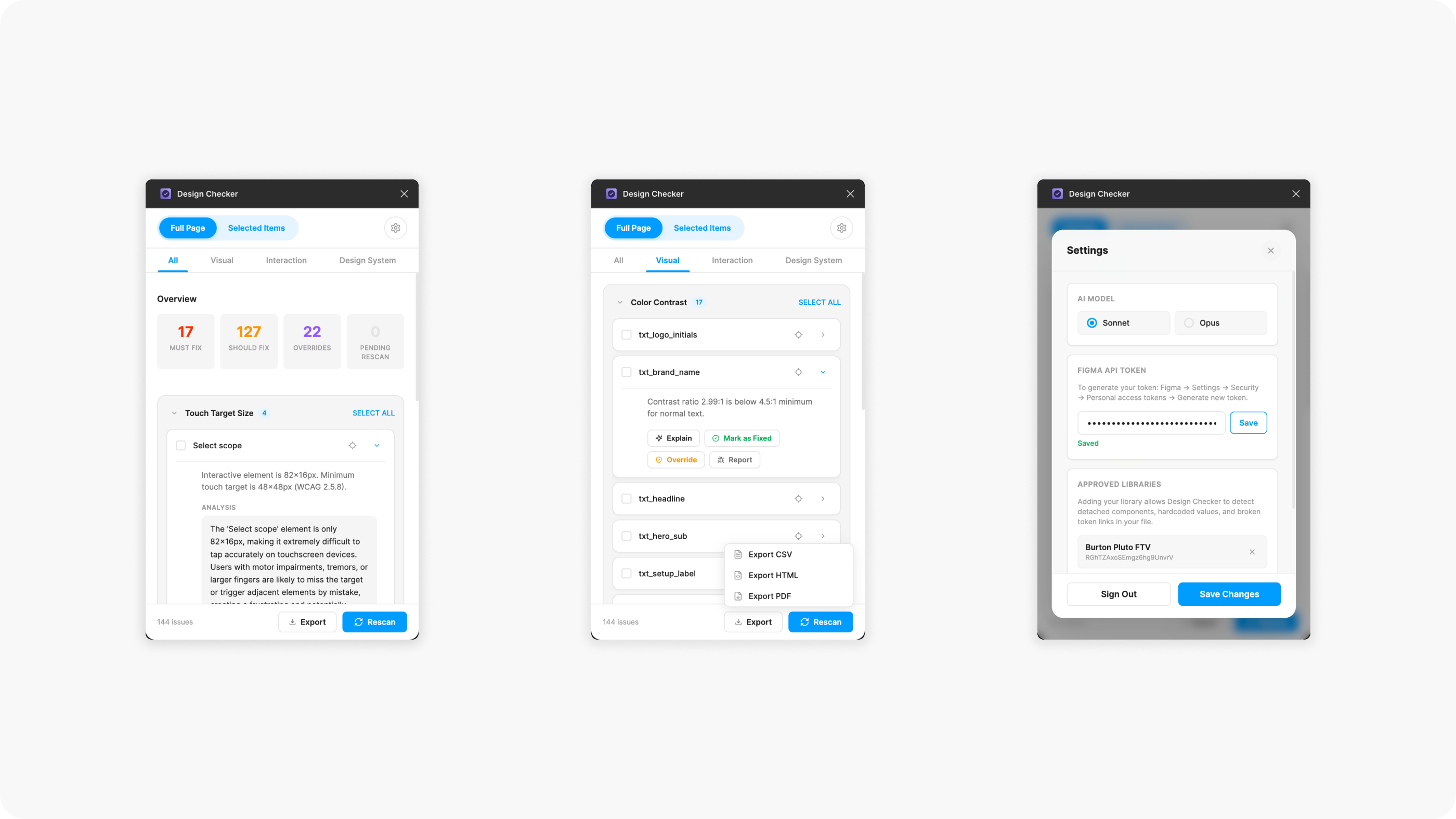
Design Checker audits a page or selection at design time, before issues reach engineering — running nine checks across visual accessibility, interaction accessibility, and design-system consistency. Findings are grouped by type and severity (Must / Should / Nice to Fix), each with an AI explanation and recommended fix grounded in WCAG. Built by Fire TV UX.

Highlights

Visual
Color contrast (WCAG AA), focus indicators, and text readability.
Interaction
Touch-target size, interactive spacing, and component state variants.
Consistency
Library adherence, detached-component detection, and naming.
Scan
One-click — full page or selection; grouped by type and severity.
Explain
AI reason and fix per issue, citing the WCAG criterion (Bedrock).
Triage
Mark fixed, override (persists), report false positives; bulk actions.
Dashboard
Admin view — usage analytics, top violations, false-positive queue.
Export
Reports to CSV, HTML, or PDF for developer handoff.
Design Checker plugin — severity-grouped findings overview, a color-contrast check with Explain/Override/Export, and the settings panel

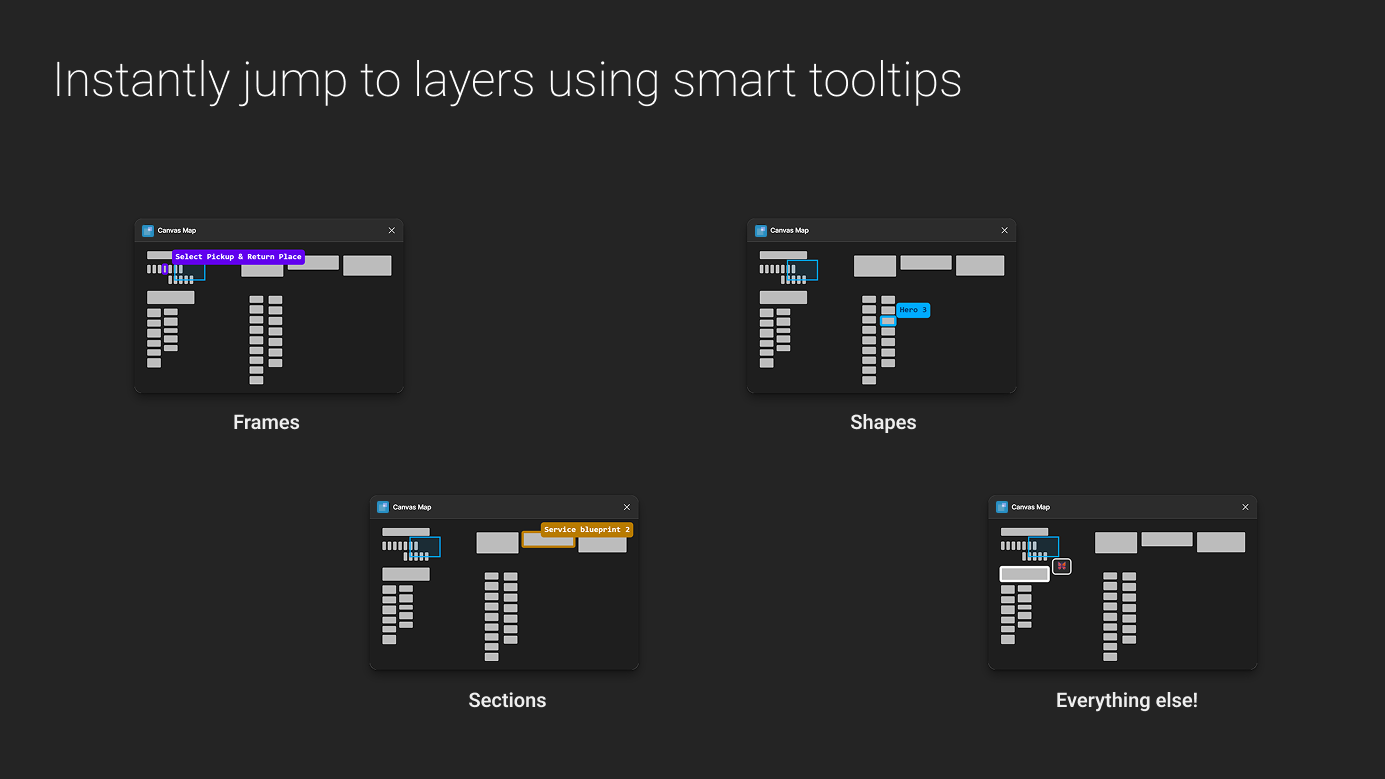
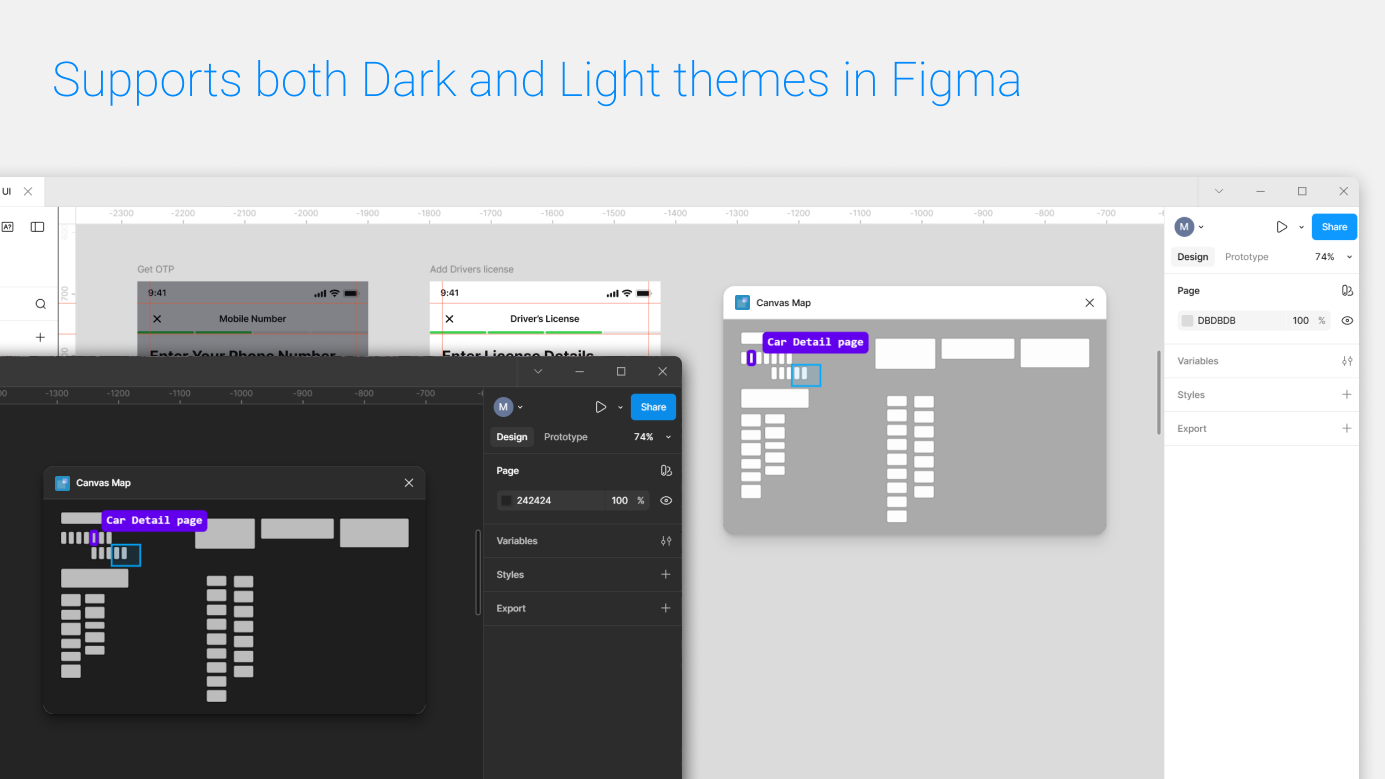
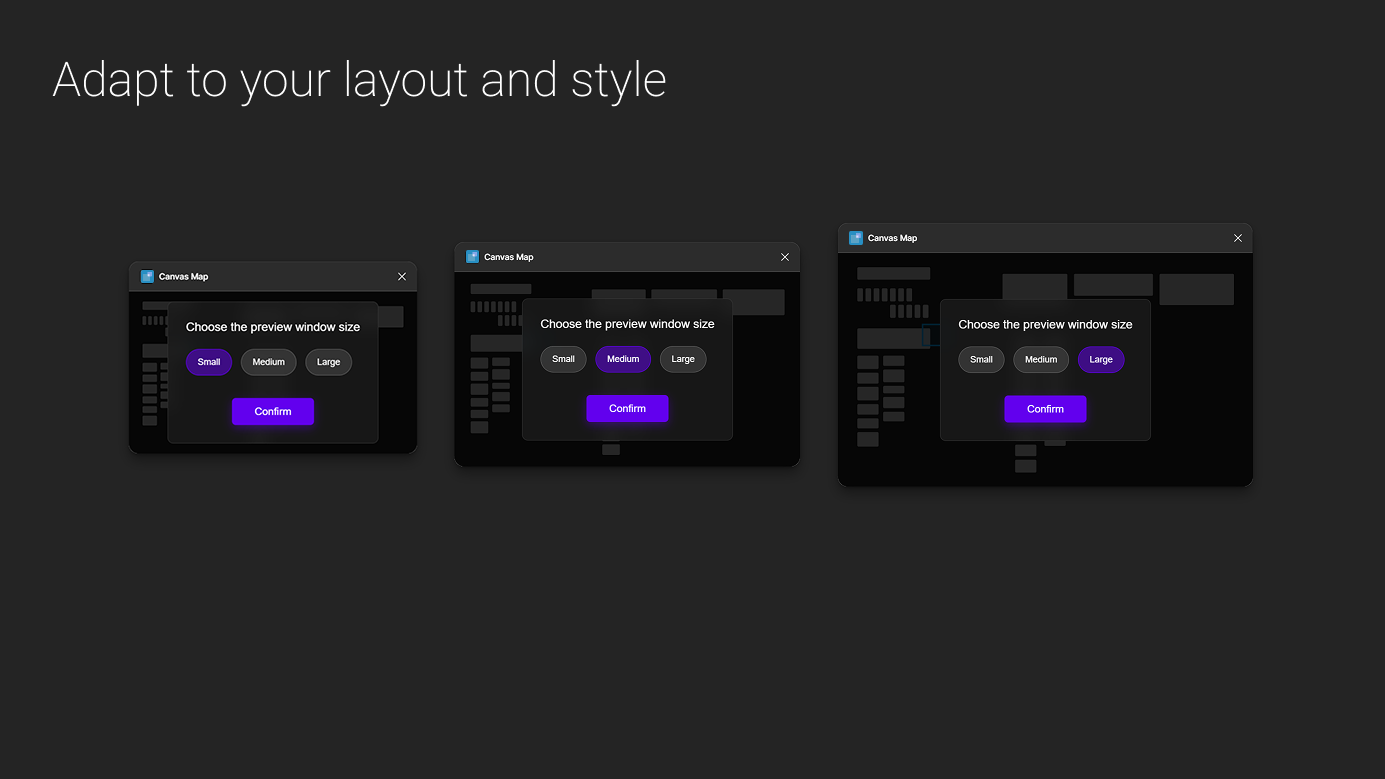
A real-time mini-map of your Figma page. Click anywhere to pan or zoom straight to a layer, hover for smart tooltips that name frames, shapes, and sections, and size the preview window to fit your layout — rendered in both light and dark themes.

Open in Figma Community

Highlights

Mini-map
Real-time overview of the whole page as you work.
Navigate
Click to pan or zoom straight to any layer.
Tooltips
Hover to identify frames, shapes, sections, and more.
Theme-aware
Renders in both light and dark Figma themes.
Resizable
Pick a Small, Medium, or Large preview window.
Smart tooltips name frames, shapes, sections, and other layers for quick jumpsCanvas Map mini-map shown in both light and dark Figma themesChoose a Small, Medium, or Large preview window to fit your layout