Samsung S20 Camera
Redesigning Samsung's mobile phone camera experience for millennials — simplifying modes, improving accessibility, and aligning the experience with millennial core values.
Overview
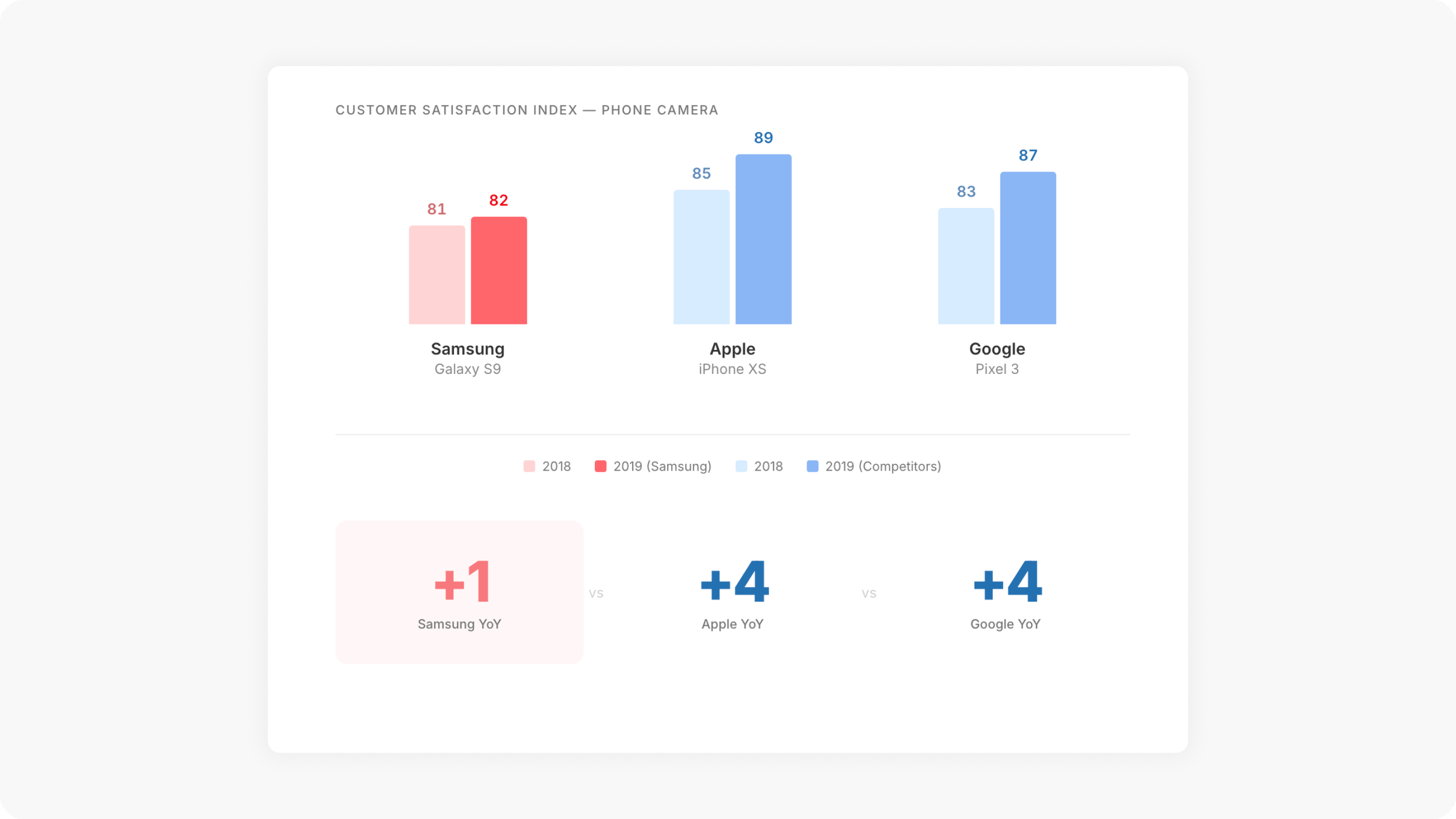
In 2019, Samsung’s internal research revealed that the Galaxy S9 phone camera had a Customer Satisfaction Index (CSI) of just 82 — only a 1-point increment from the previous year. This was low compared to competitors like Apple (89) and Google (87), despite Samsung having superior hardware and software features.
I joined Samsung’s UX team to help redesign the camera experience for the Galaxy S20, focusing on millennials as the target audience. The goal wasn’t to add more features — it was to simplify what was already there, align the experience with millennial values, and make the camera more inclusive and intuitive.
Empathize & Discover
Who are the users?
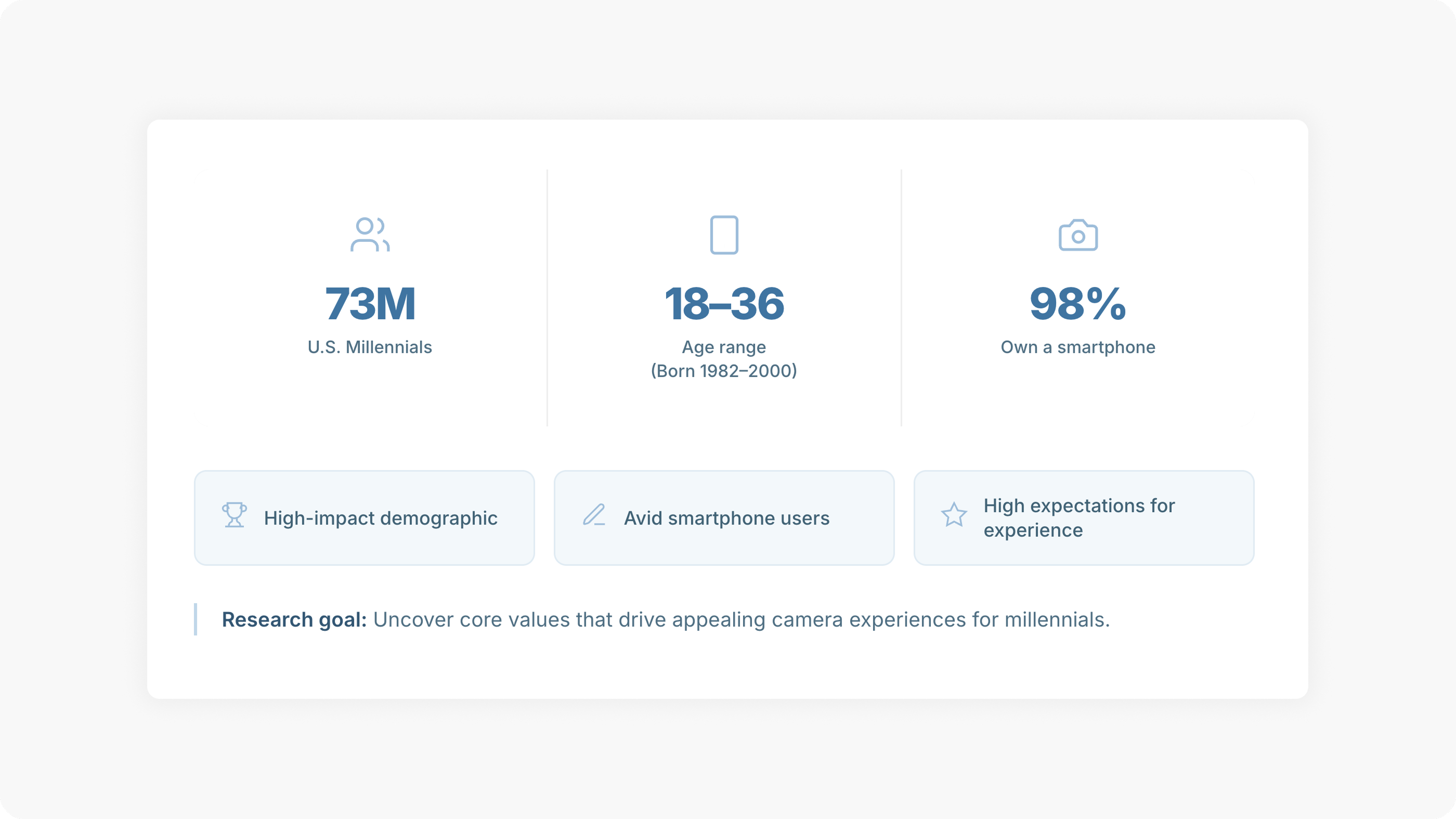
We focused on U.S. millennials (ages 18–36) — a high-impact demographic of 73 million avid smartphone users with high expectations for experience quality.
Research
We interviewed 12 millennials through semi-structured and guerrilla interviews to understand their smartphone camera use, preferences, motivations, and values around photo capture.
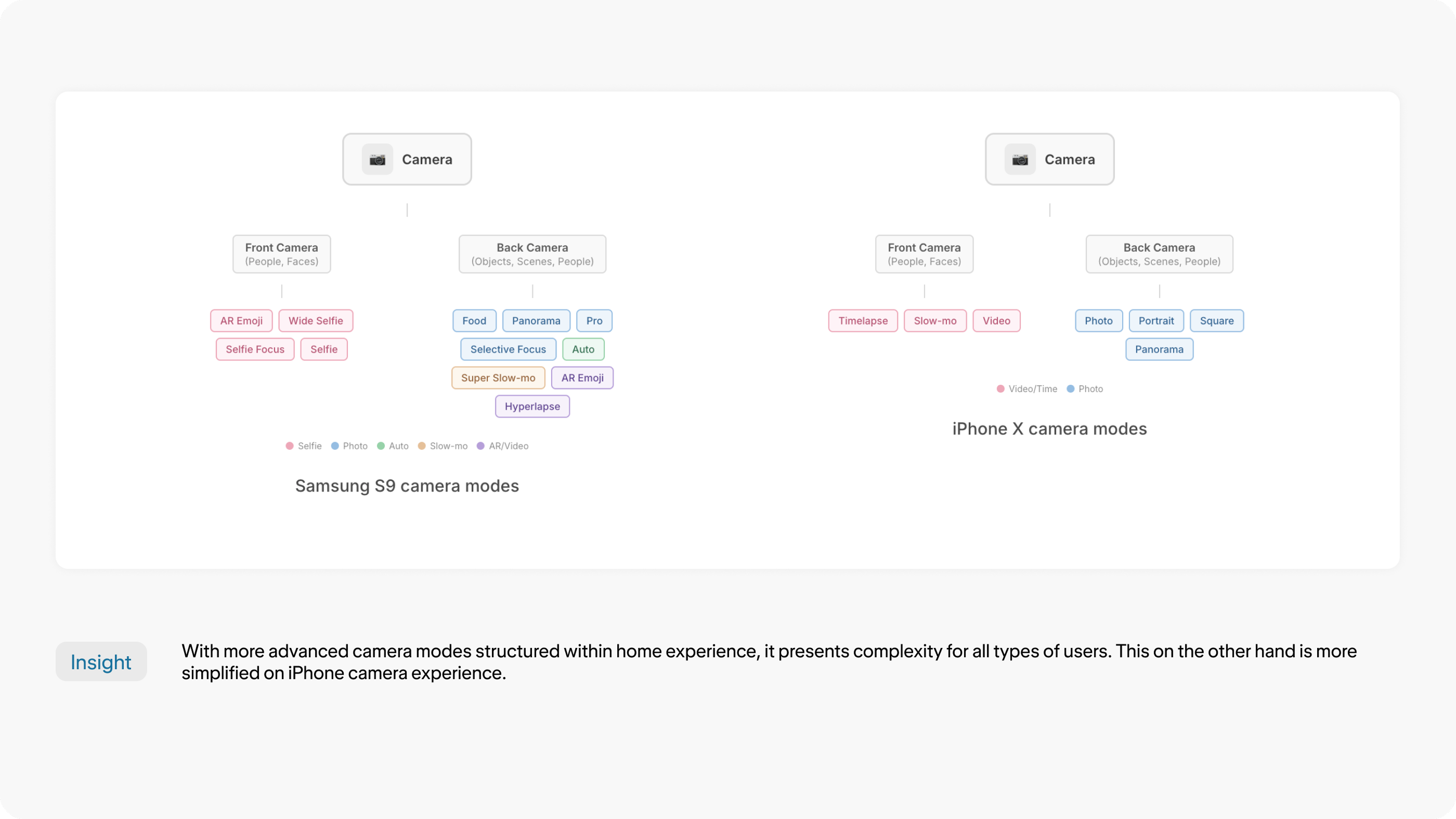
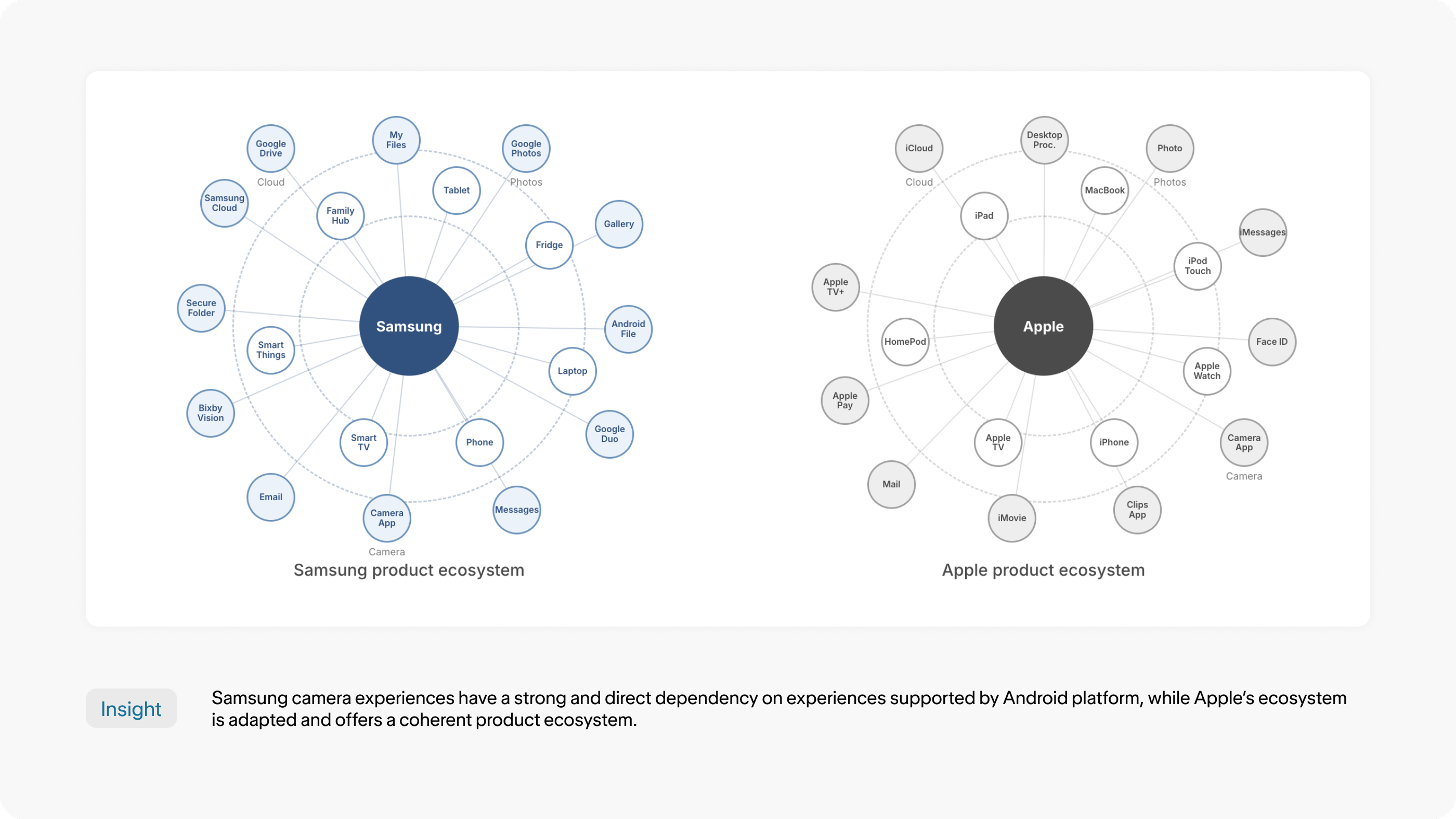
We also ran comparative analysis — evaluating Samsung S9 vs. iPhone X camera modes and examining how Samsung’s product ecosystem depended on Android and third-party components compared to Apple’s cohesive ecosystem.
Research Insights
Our research surfaced six key issues:
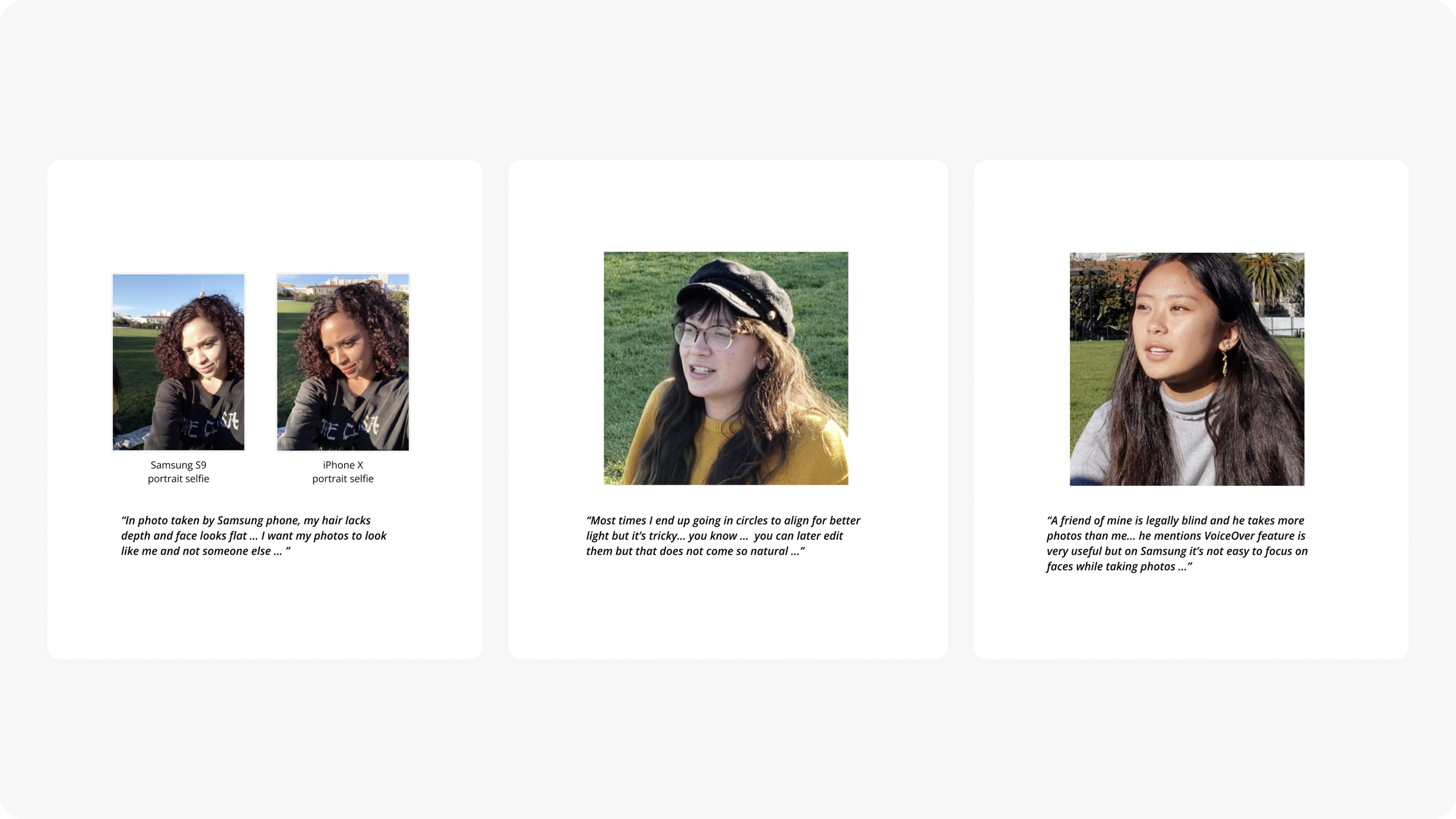
Default settings create a false sense of quality. Over 95% of users never changed any camera settings, believing defaults provided the best experience. Samsung S9’s selfie mode applied a default skin tone filter that made photos lose their authentic characteristics.
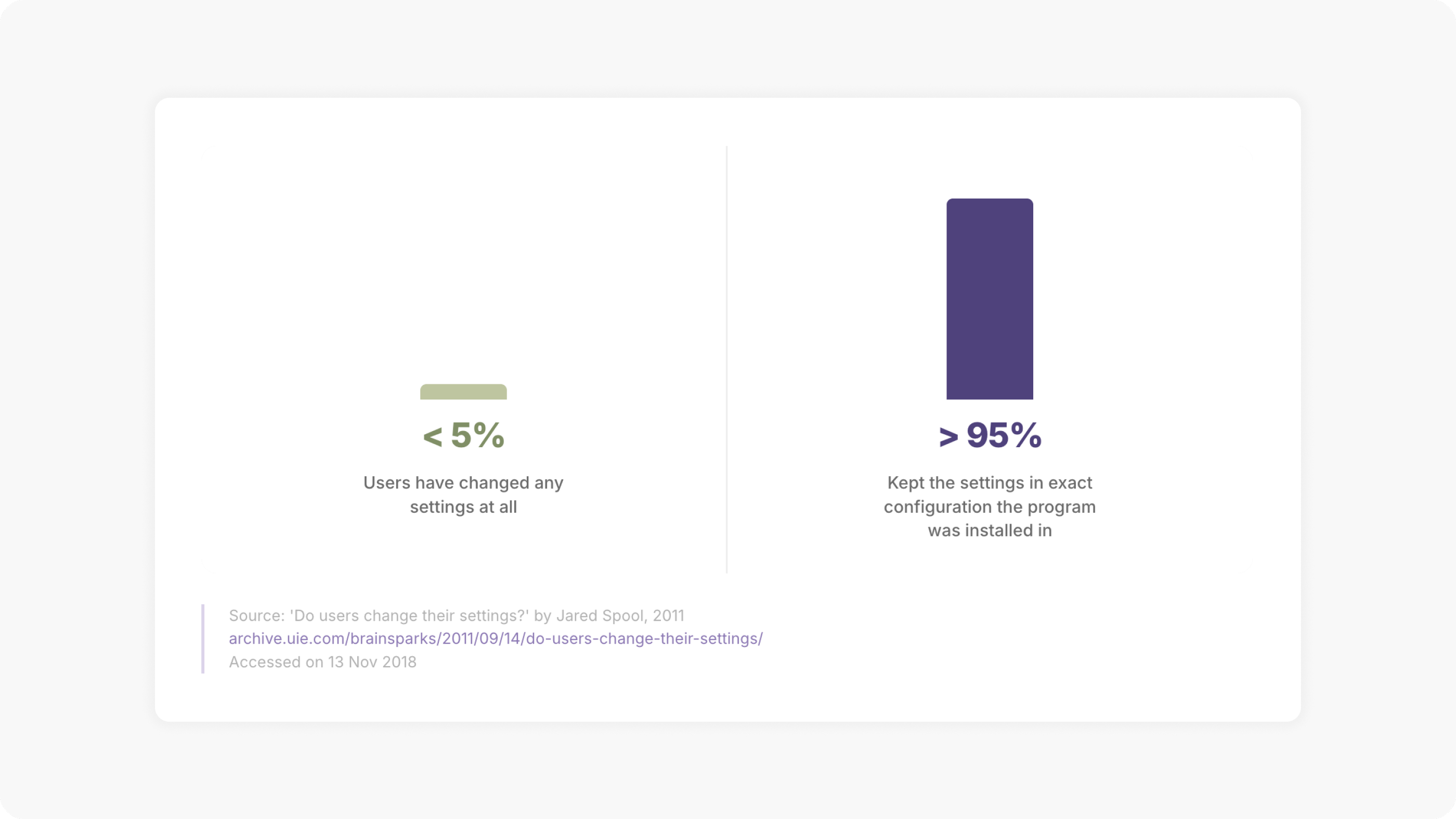
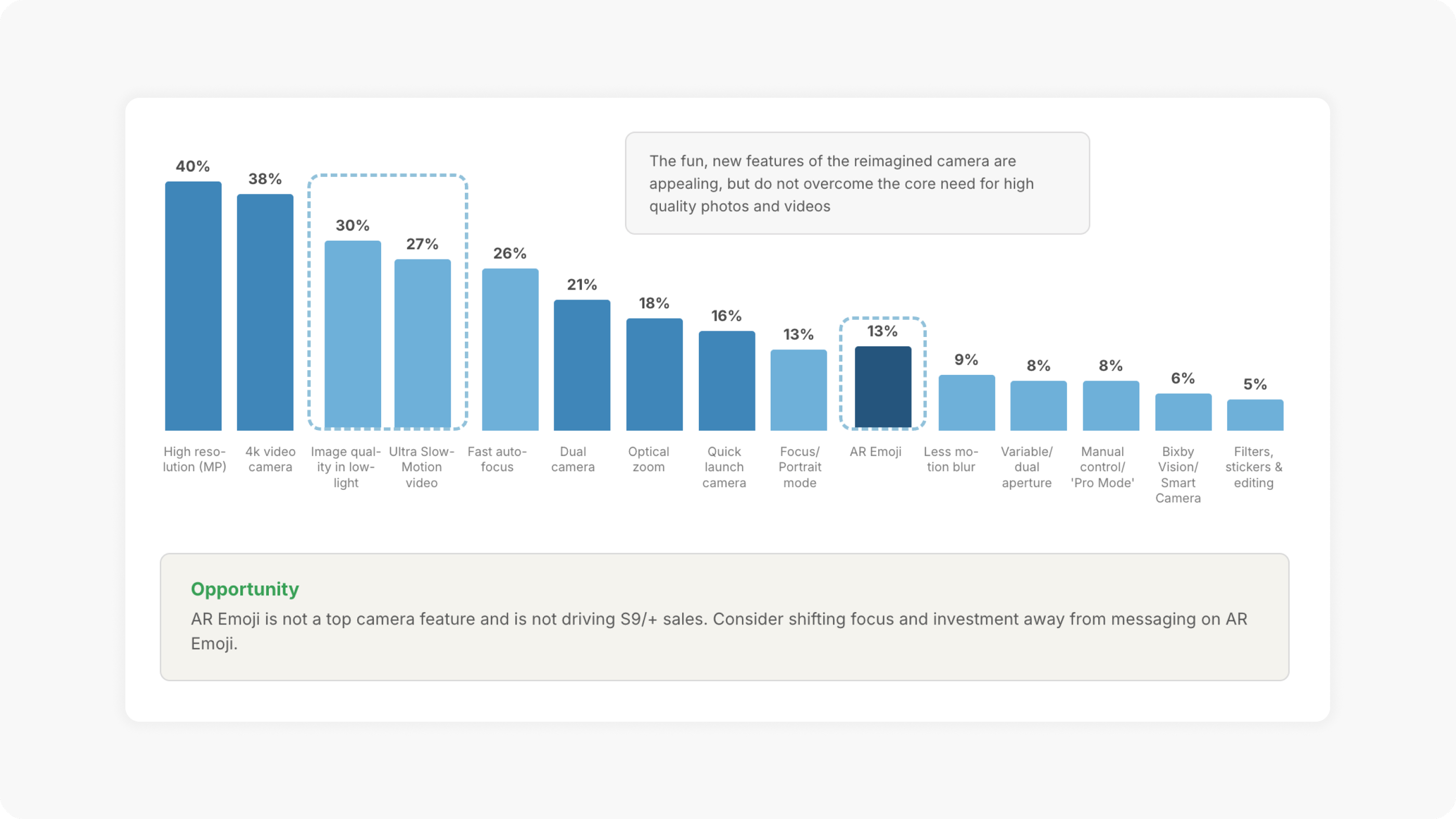
Users want professional modes, not more modes. Usage data showed professional camera features (high resolution, 4K video, image quality in low-light) were what users valued most. Fun features like AR Emoji were not driving sales or satisfaction.
Redefine the Problem
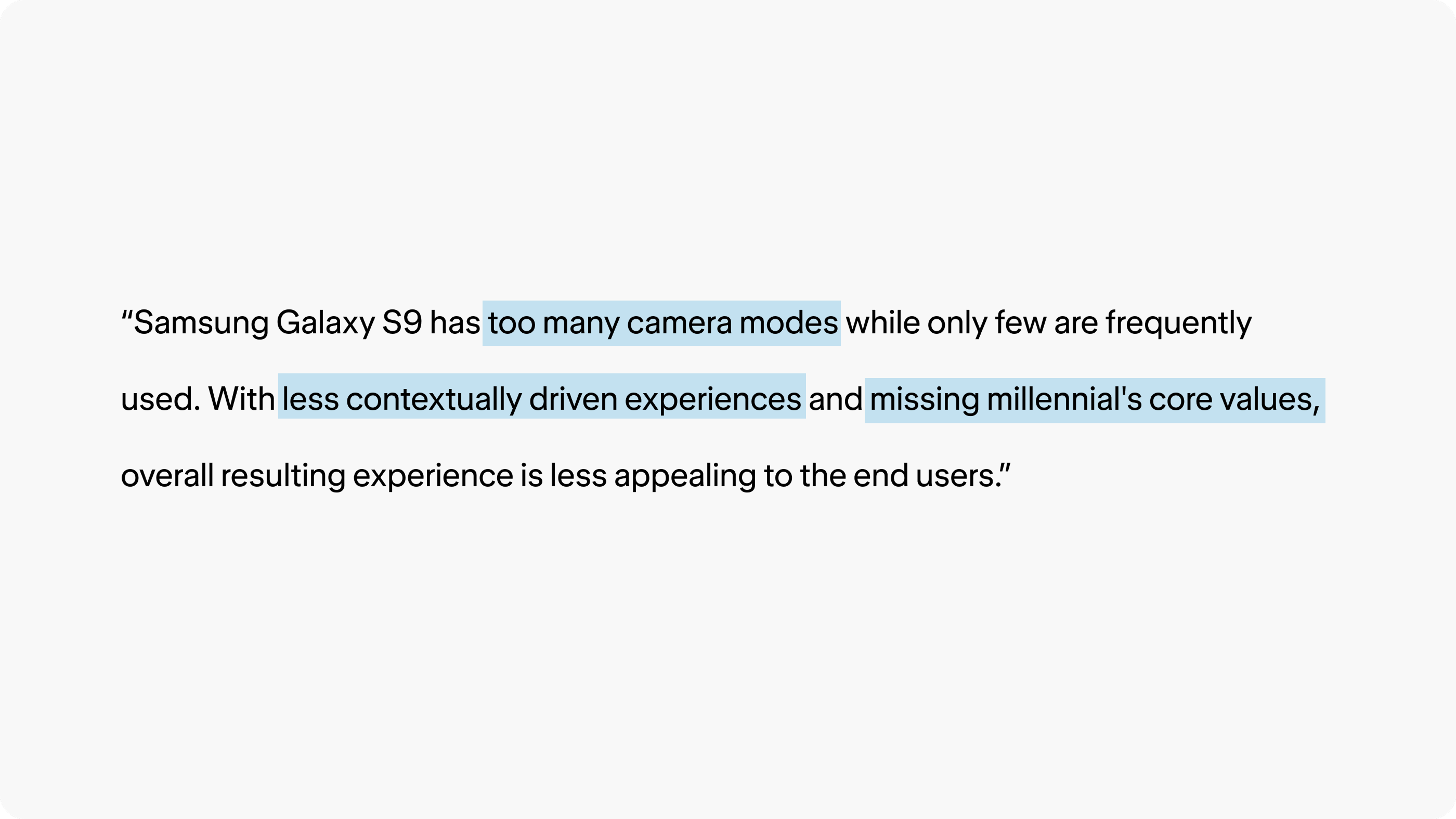
“Samsung Galaxy S9 has too many camera modes while only few are frequently used. With less contextually driven experiences and missing millennial’s core values, overall resulting experience is less appealing to the end users.”
User Stories
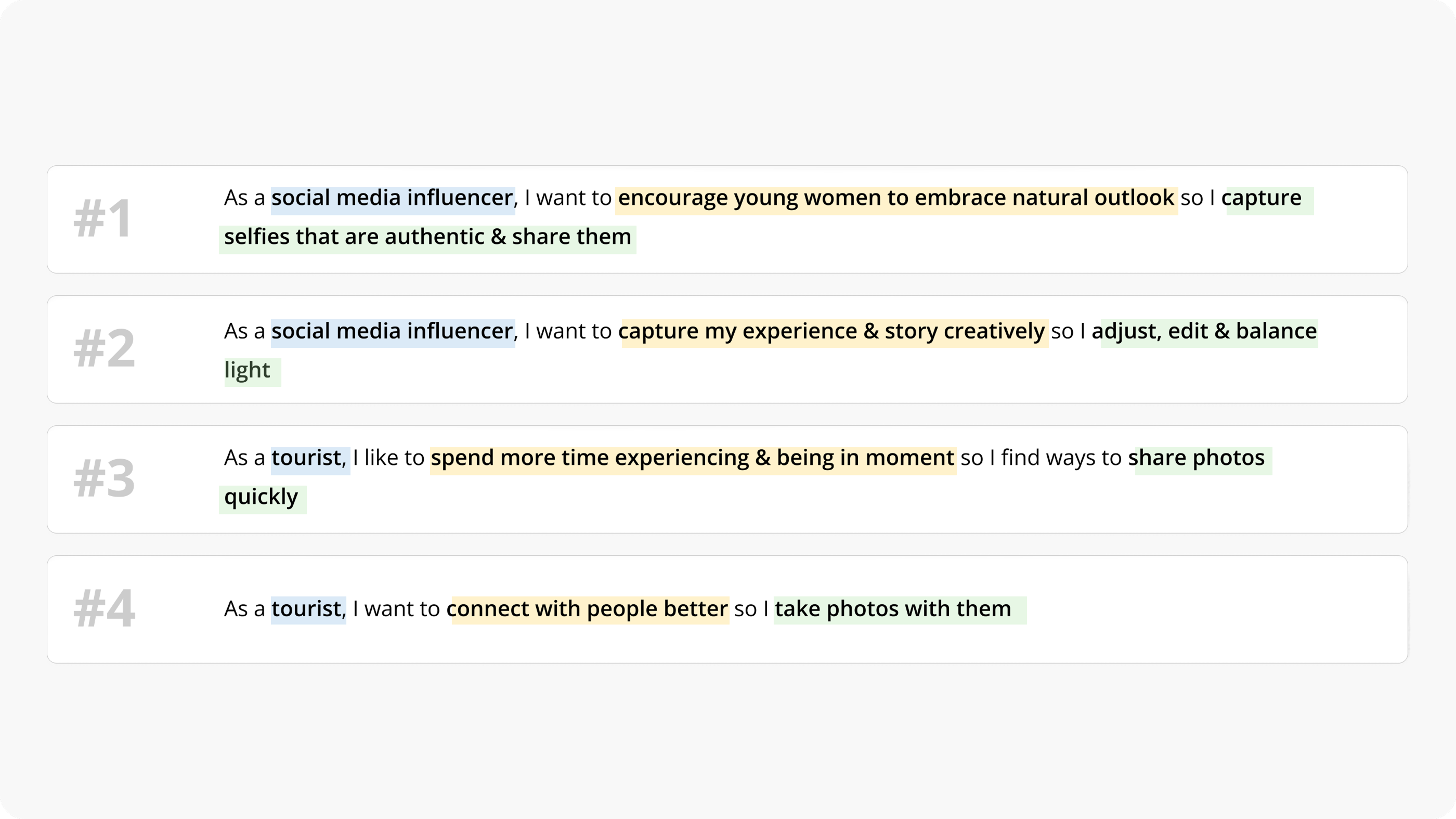
Ideation
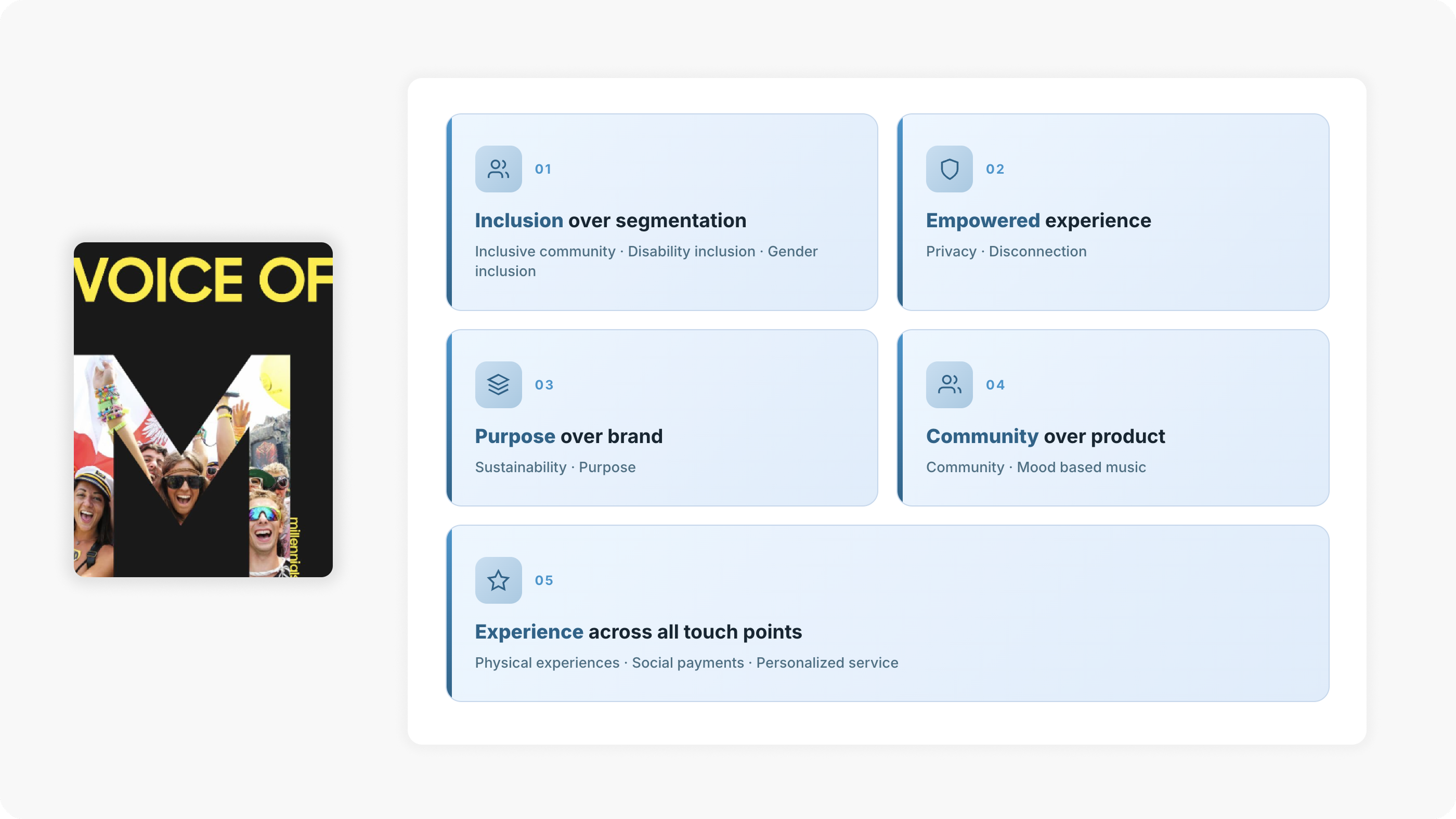
UX Design Principles — Voice of Millennials
We identified five core principles based on millennial values — these guided every design decision moving forward.
Brainstorming
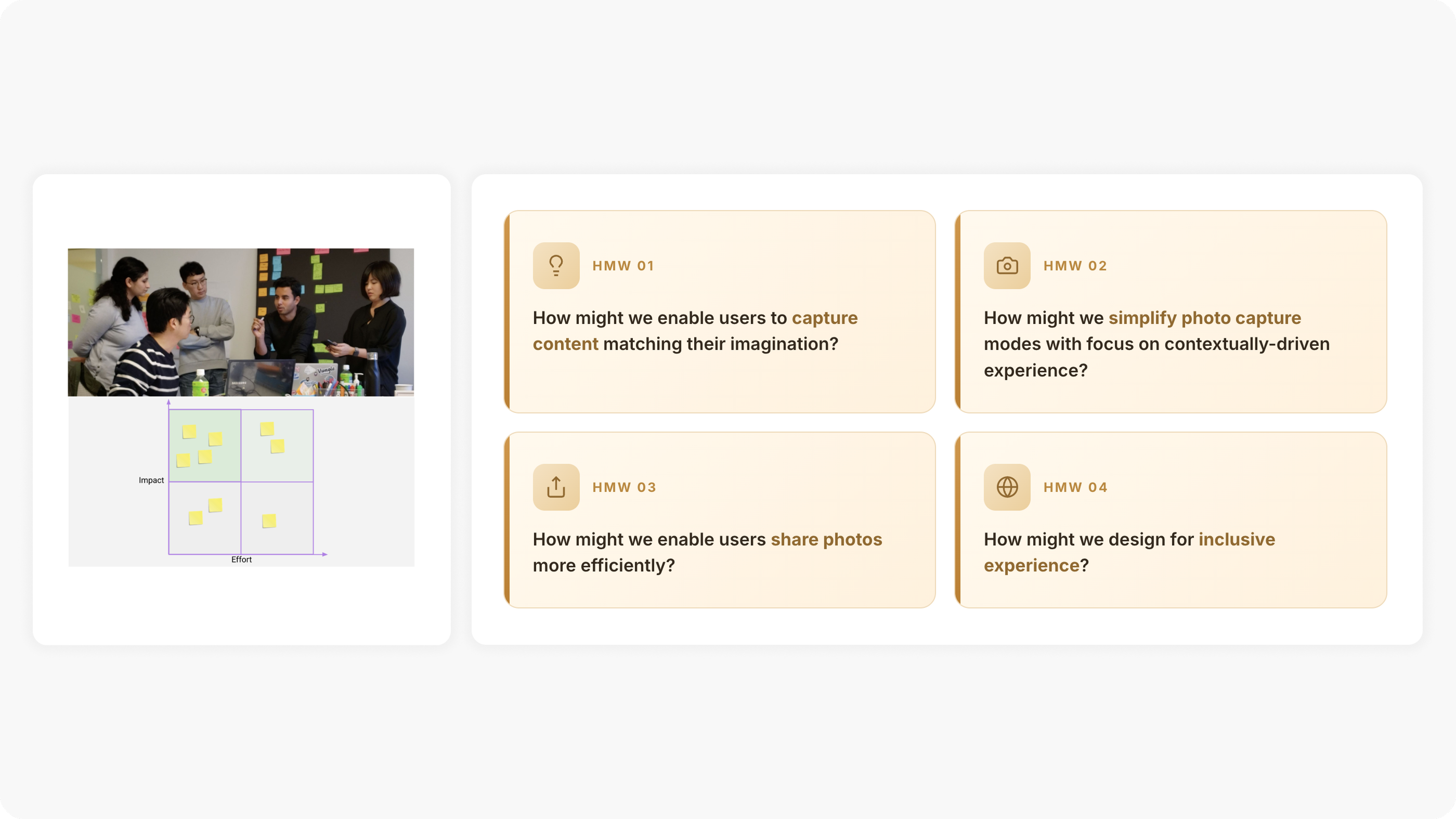
Four “How Might We” questions framed our ideation, explored through immersive brainstorming sessions using an Impact/Effort matrix.
Prototyping & Design Decisions
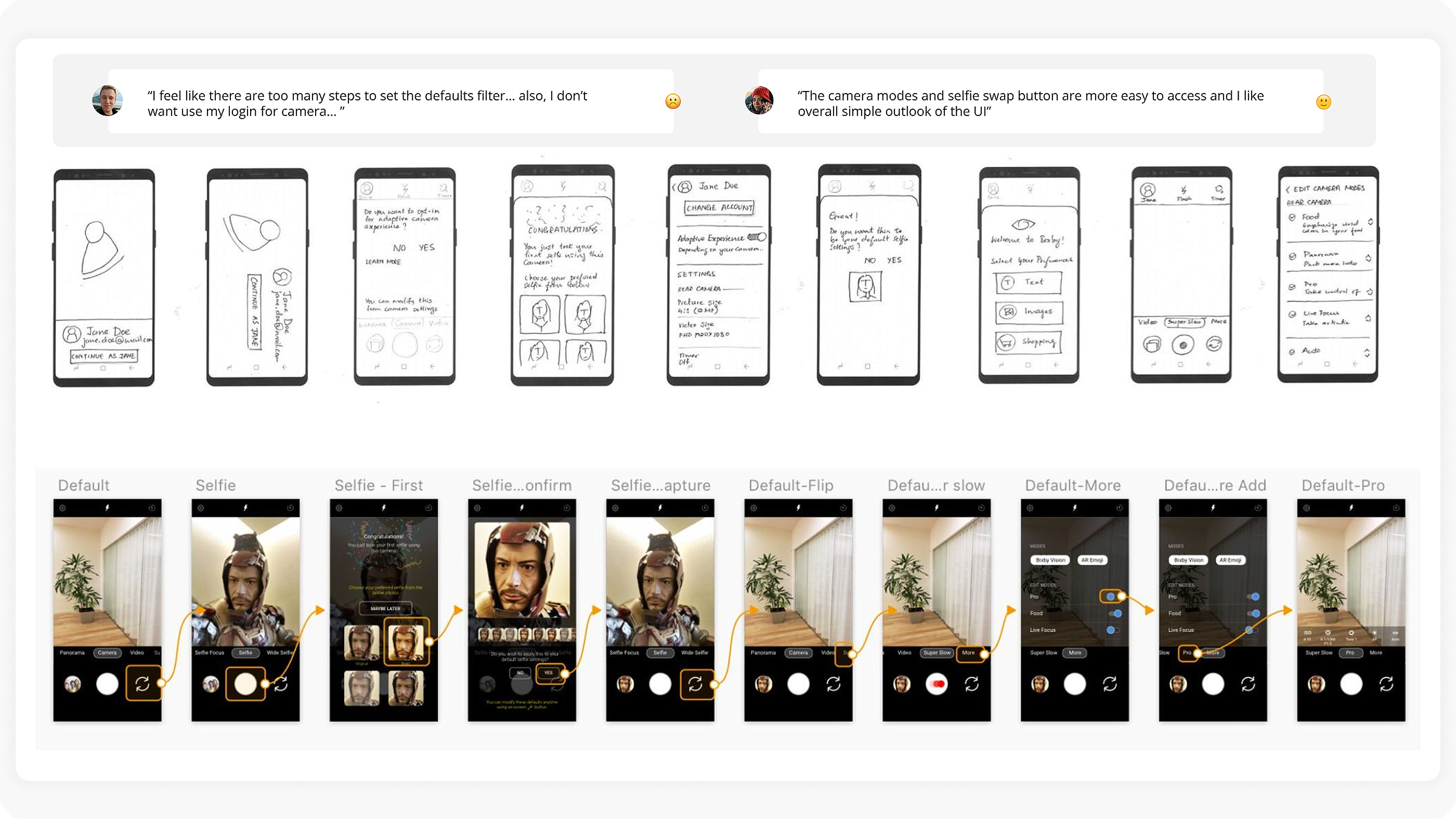
Concept 1 — Simplified camera UI & defaults
Early sketches explored simplifying camera mode access, selfie swap, and filter default settings. User testing revealed that while the simpler UI was well received, setting default filters still had too many steps.
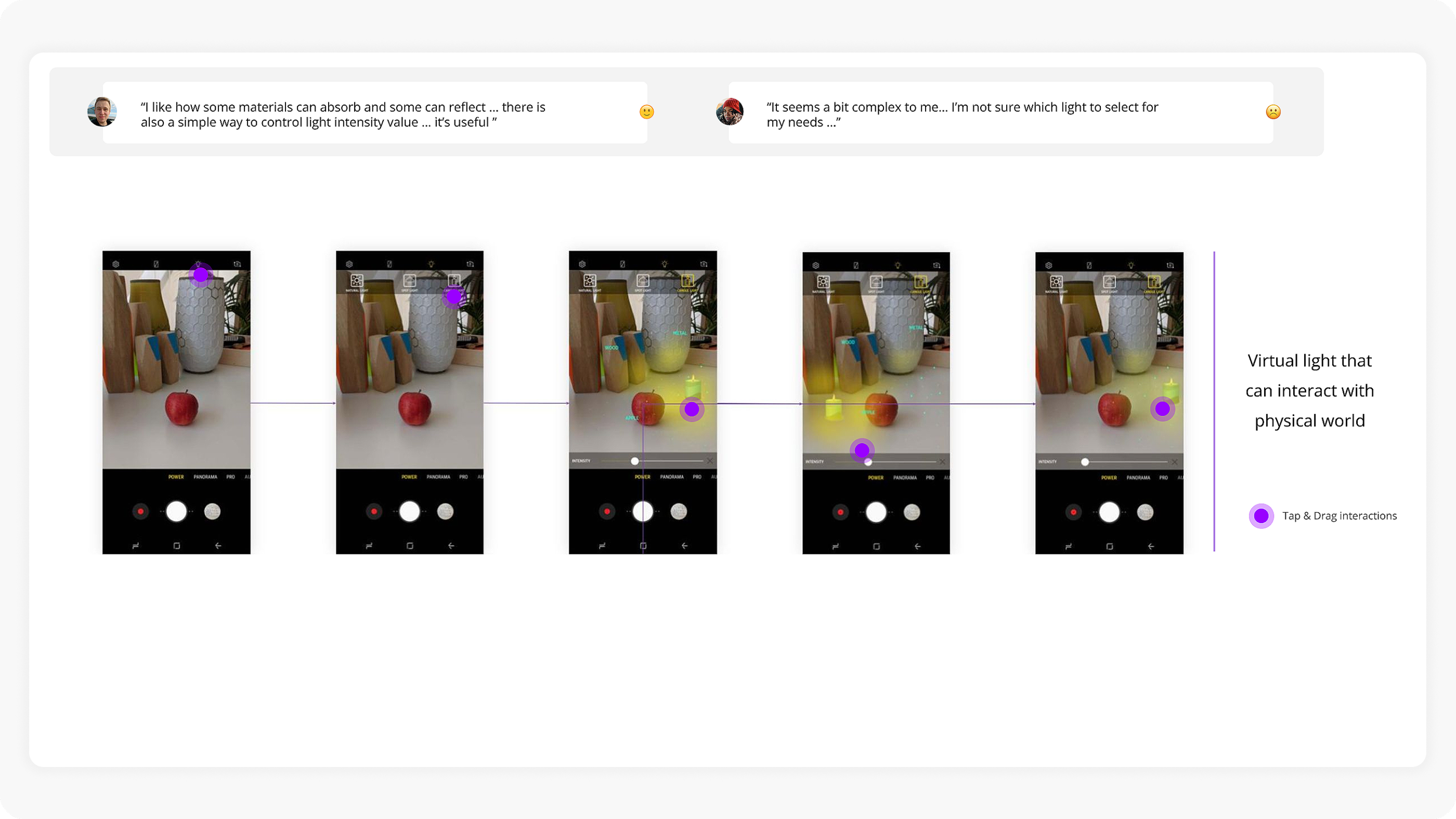
Concept 2 — Virtual light interaction
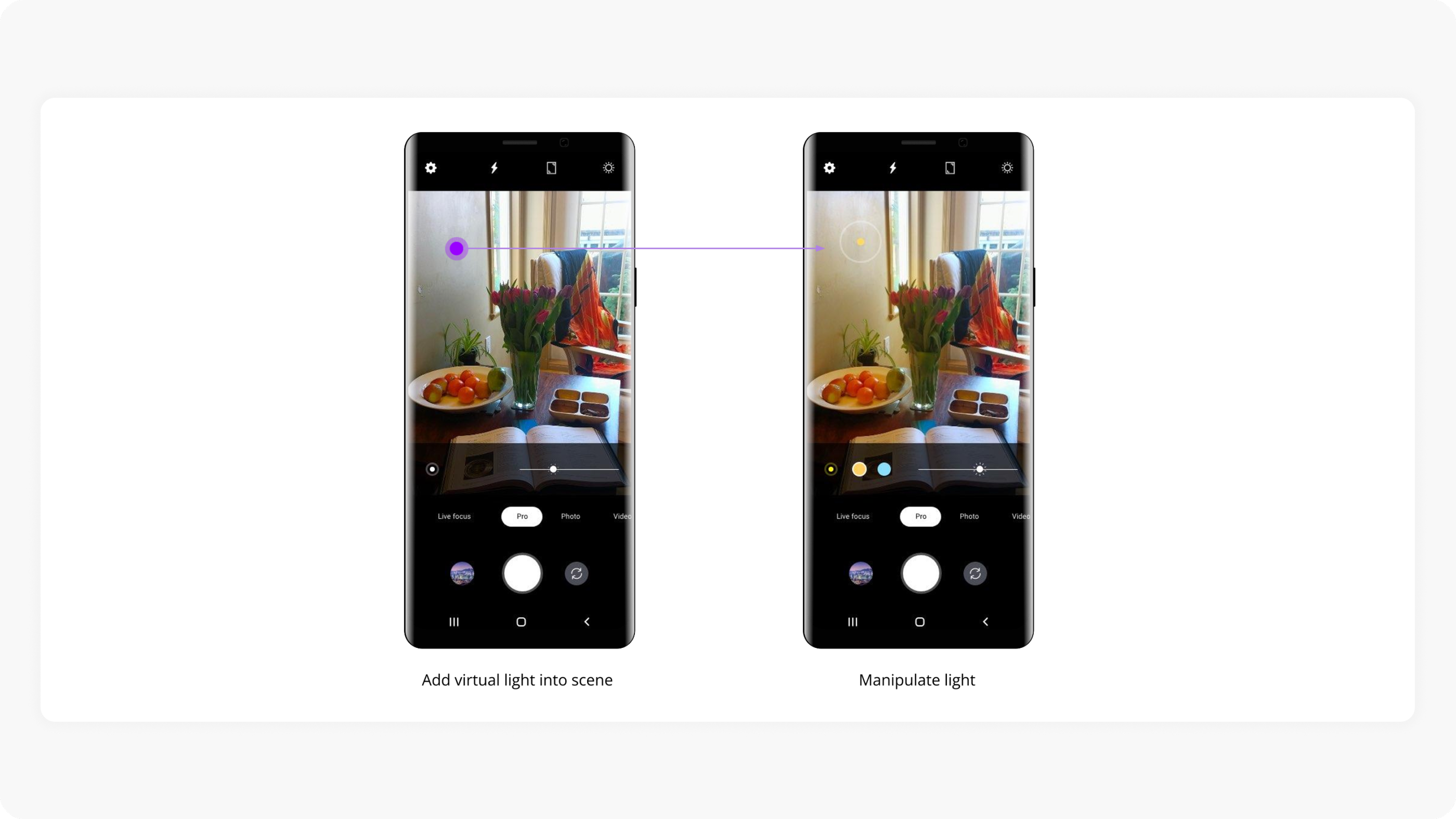
A separate concept explored placing virtual light sources that interact with the physical world — users could tap and drag to manipulate lighting in real-time. Users appreciated the material absorption/reflection simulation but found the light selection too complex.
Introducing the S20 Camera
The redesigned camera experience was built on four pillars:
Listens to user behavior and evolves to provide defaults matching expectations
Offers core camera modes first, groups the rest for users to optionally select
Provides an efficient way to manipulate virtual light while capturing
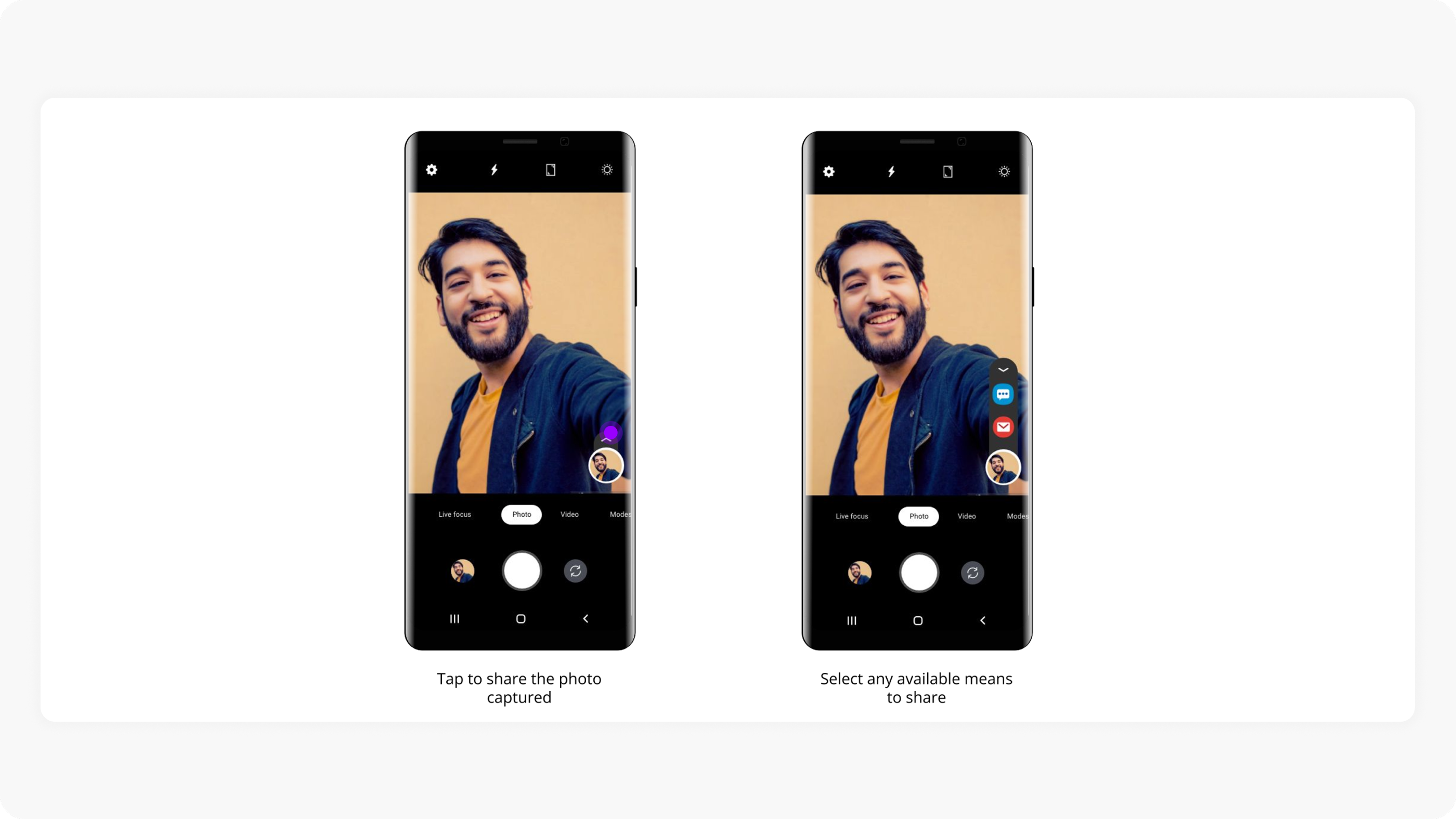
A quick way to share photos captured, reducing friction between capture and share
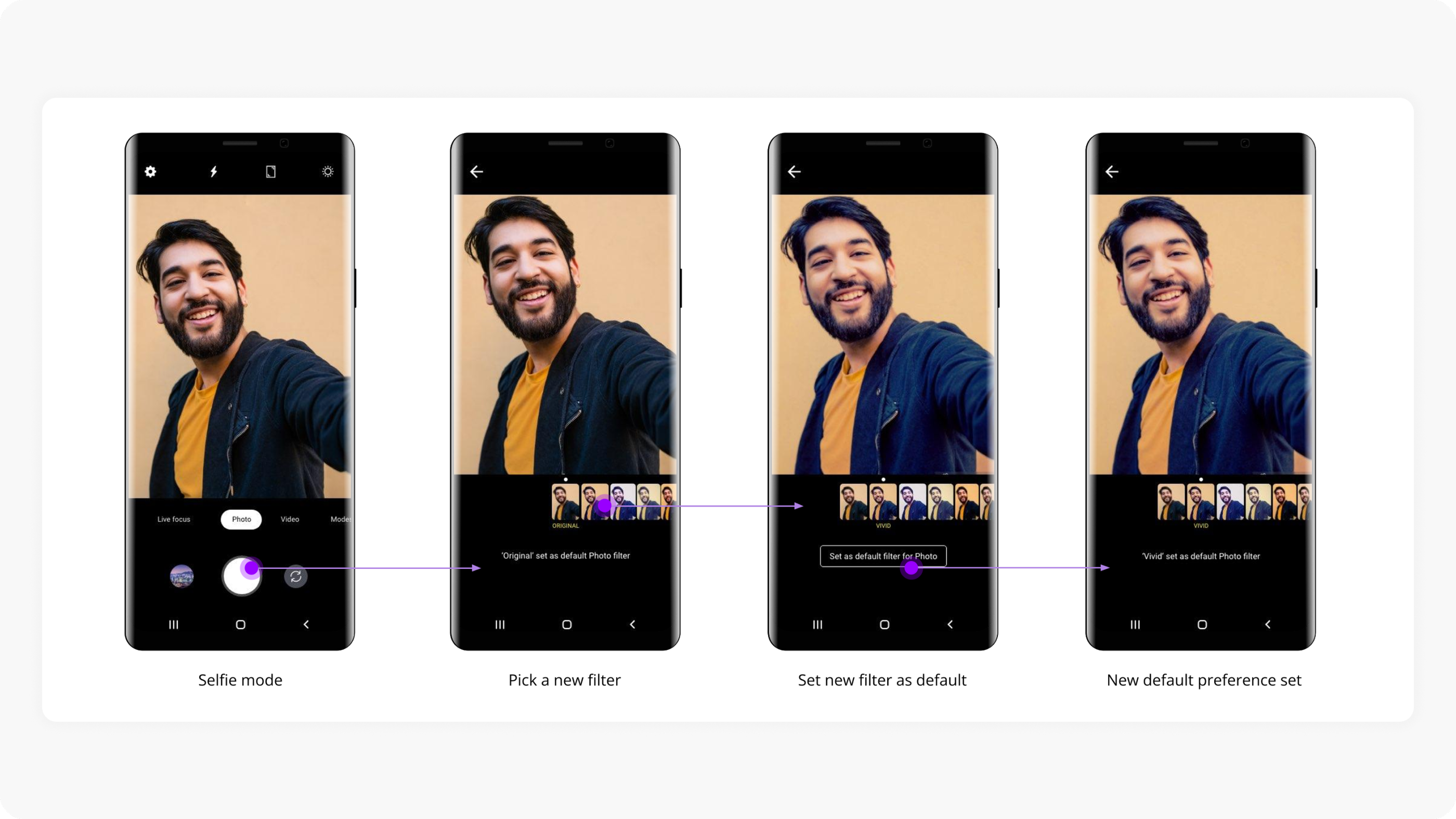
Learn & Adapt
The camera learns user preferences over time. Users can pick a new filter, set it as default, and the system adapts — no more being stuck with Samsung’s default skin tone filter.
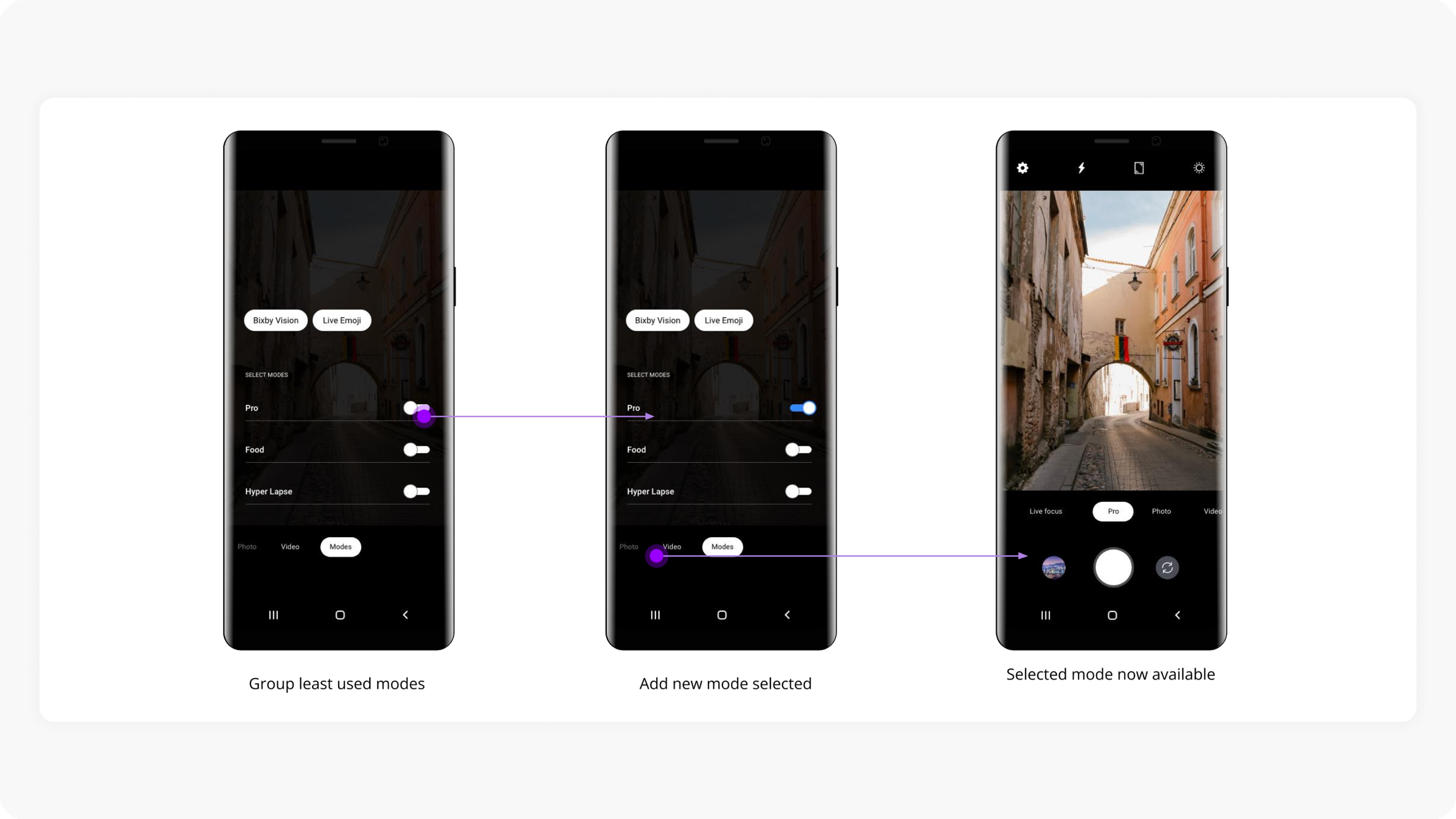
Less is More
Instead of overwhelming users with all camera modes upfront, we show only the core modes (Photo, Video, Live Focus, Pro) and group least-used modes behind a toggle — letting users enable what they need.
Creative-self
Users can add virtual light sources directly into the scene and manipulate them by dragging — enabling creative lighting without the cognitive load of finding the right physical light.
Instant Share
Reduced the steps between capturing a photo and sharing it — tap the captured photo to share, then select from available apps directly within the camera.
Accessibility & Usability
Accessibility — Vision
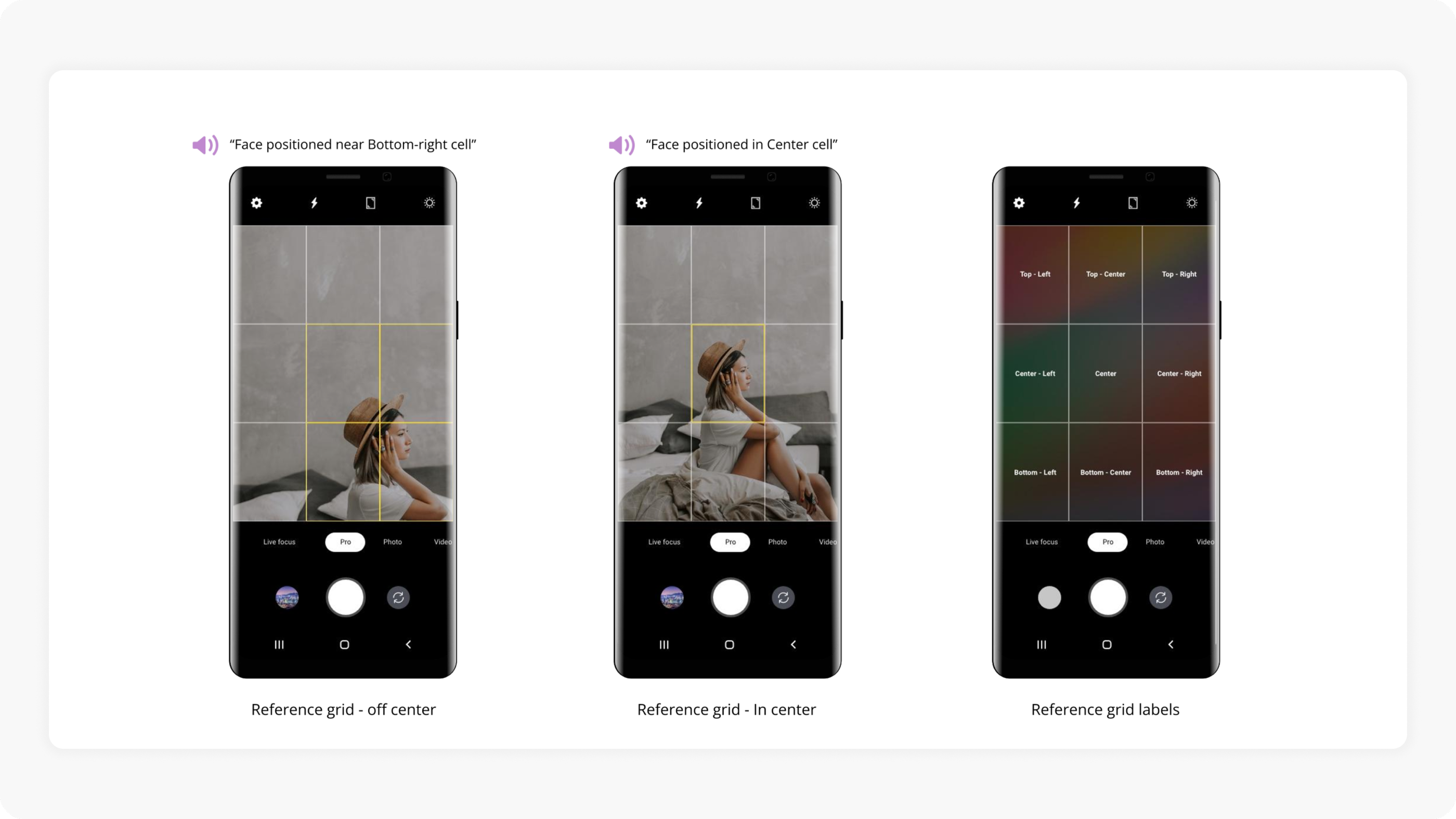
For visually impaired users, we designed a reference grid with voice-over support. The grid announces subject positioning (“Face positioned in Center cell”), helping users compose shots without relying on sight.
Better Reachability
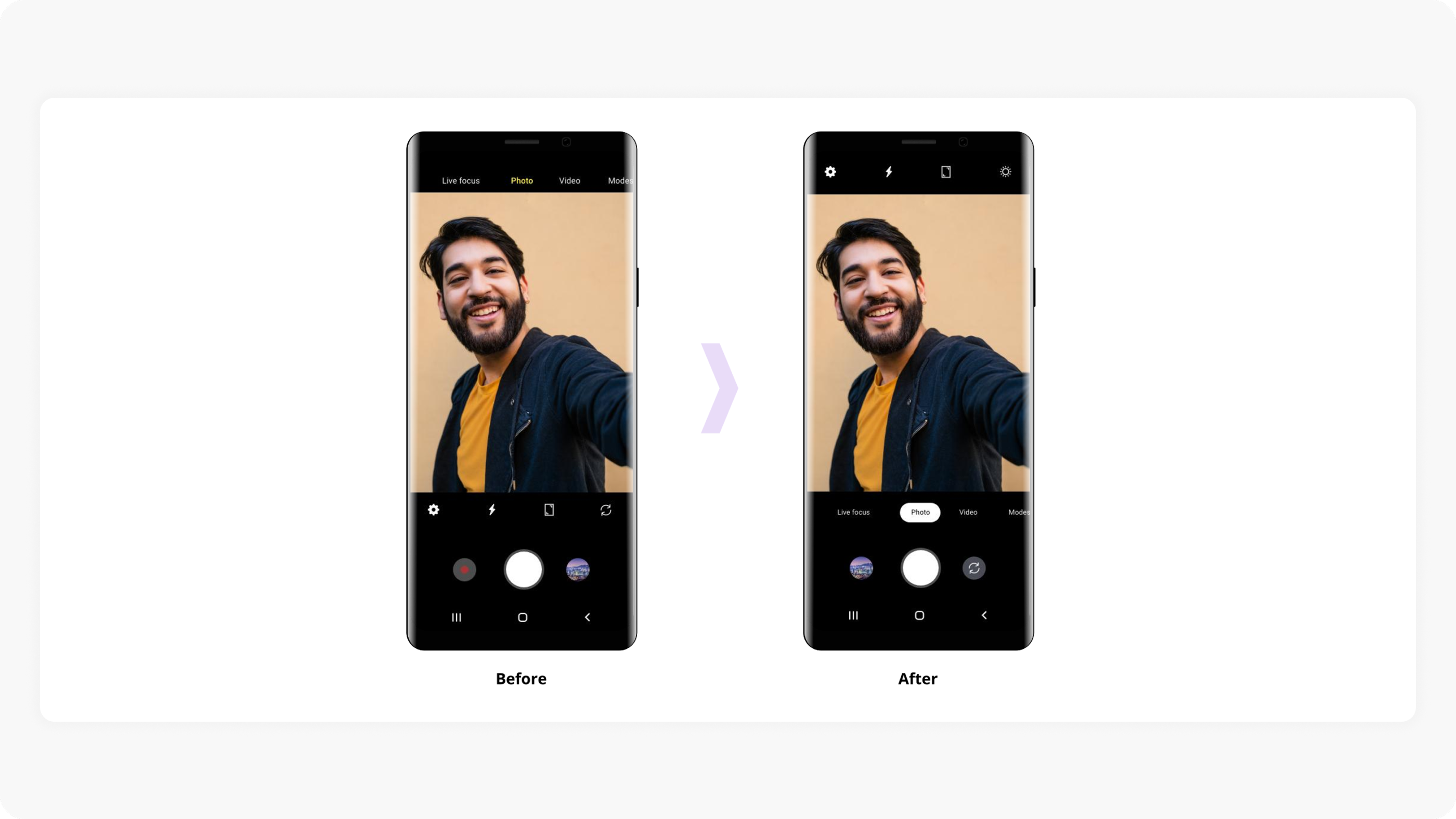
Moved camera mode tabs from the top of the screen to the center — improving thumb reachability on larger devices.
Effective Decision-Making
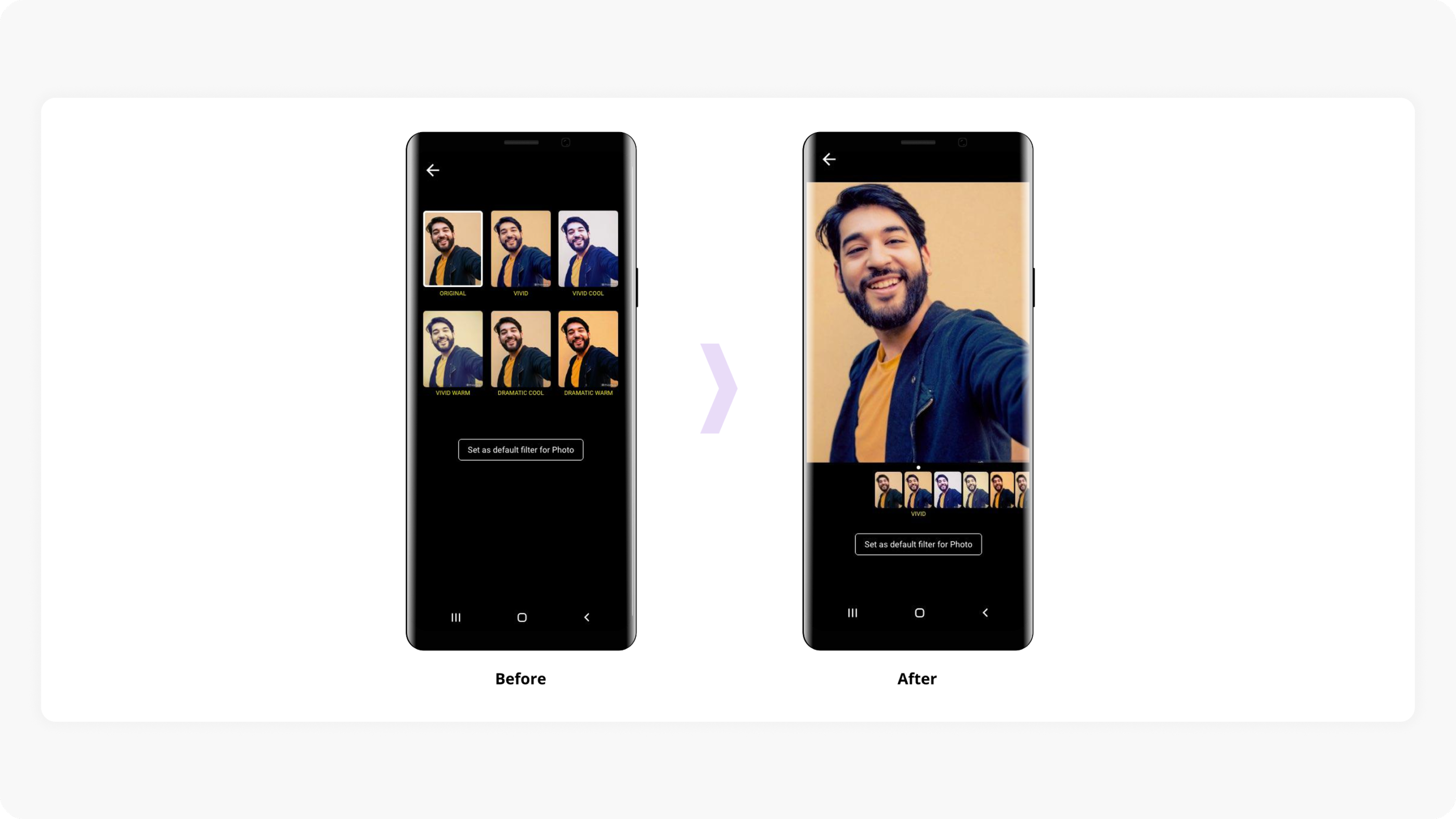
Redesigned the filter preview from a grid of small thumbnails to a large preview with a scrollable horizontal strip — letting users see the actual effect before committing.
Keeping it Simple & Clear
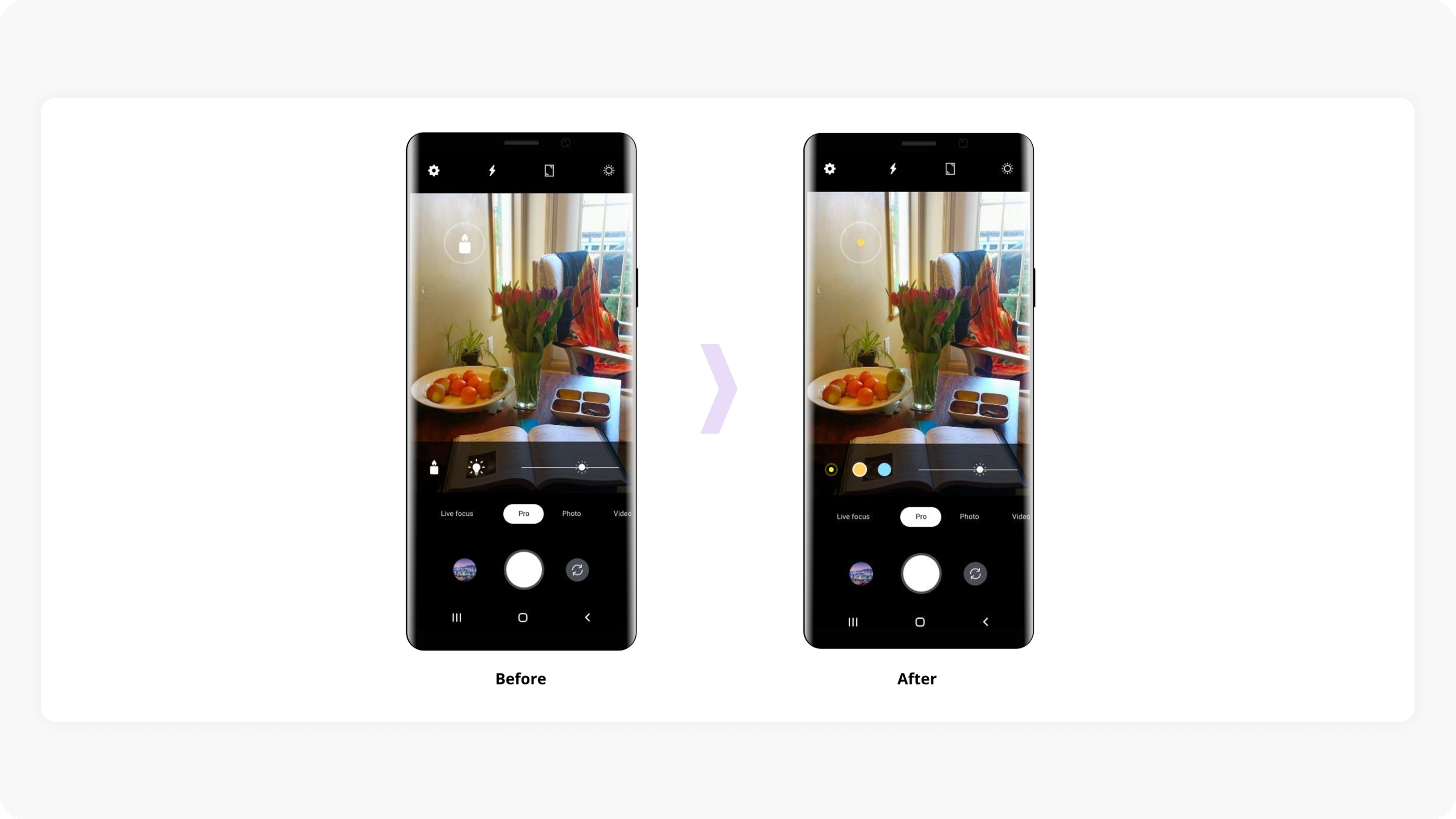
Simplified the light control UI by reducing icon complexity and visual clutter.
Experience Evolution
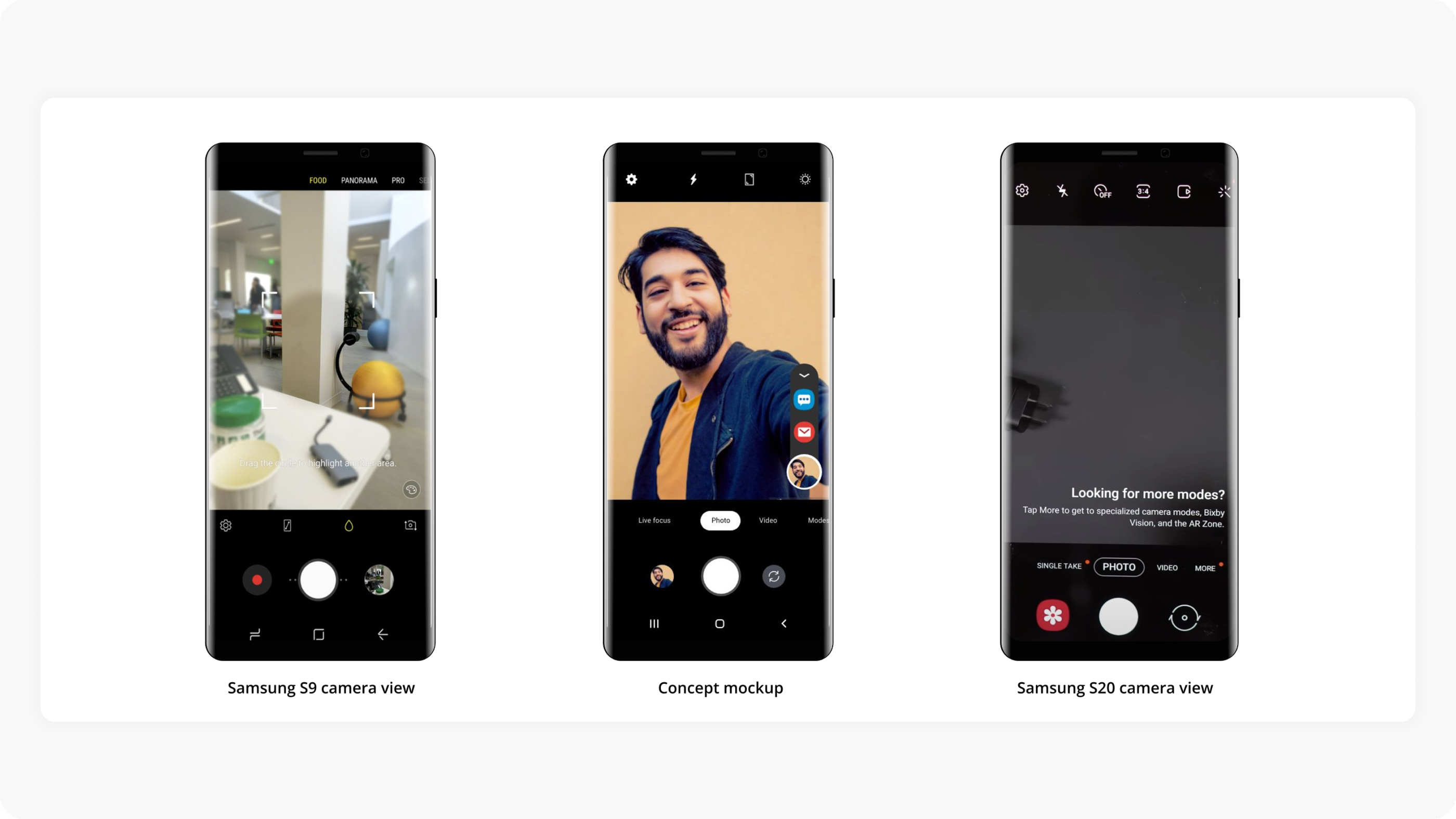
The progression from Samsung S9 to our concept mockup to the final Samsung S20 — showing how the camera interface was simplified while becoming more powerful.
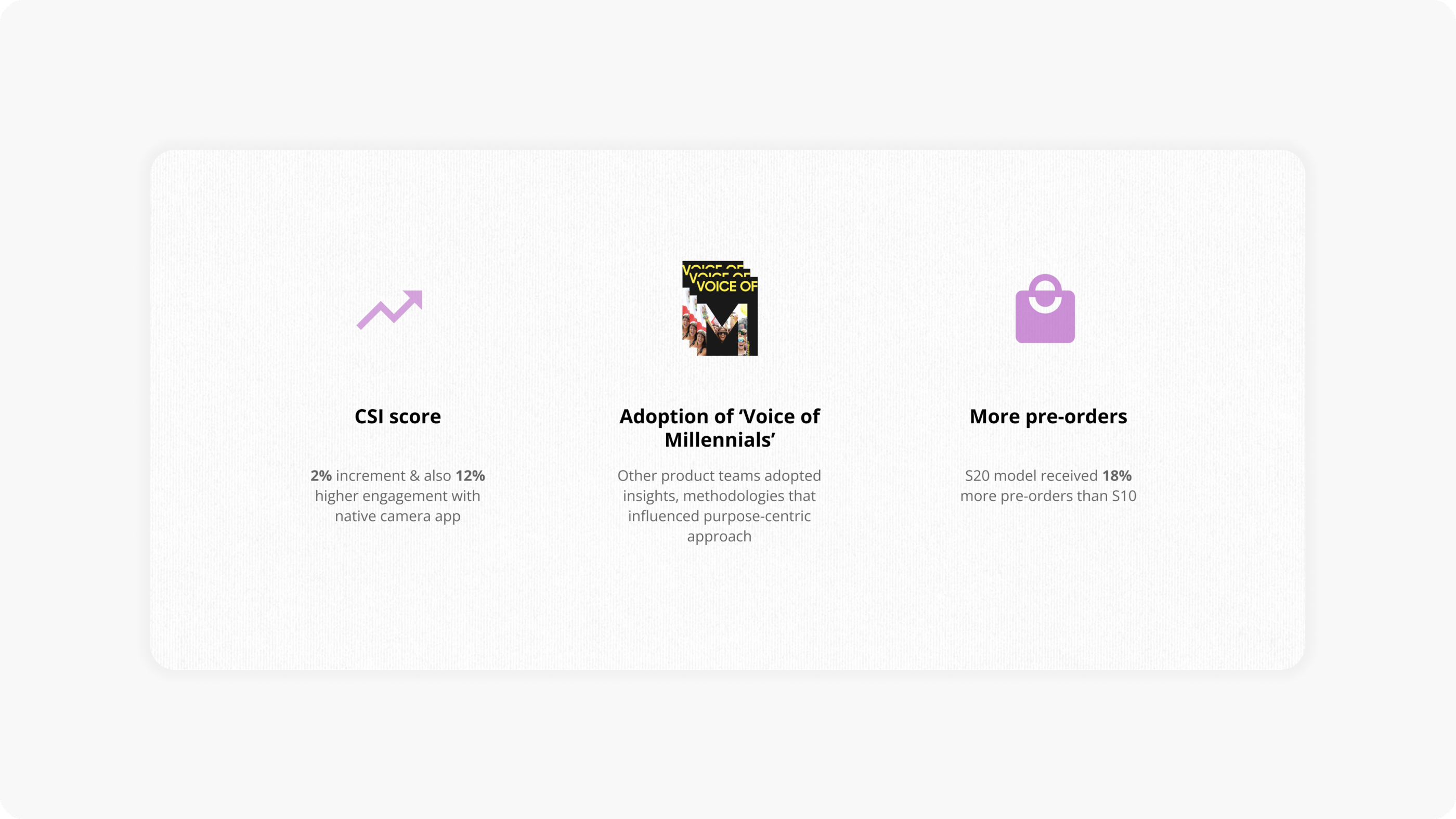
Impact